

BuildTools
by BuildTools
What is BuildTools?
Get Best Quote for BuildTools
Connect with SaaSrat experts to get the best quote for your business.
You're all set!
A specialist for BuildTools will reach out within 1 business day.
BuildTools Features
Project management
Scheduling
Document management
Budget tracking
Cost estimation
Bid management
View All 32 Features
BuildTools Pricing Plans
Starter
- Up to 5 Users
- Unlimited Clients & Subs
- Unlimited Projects.
Business
- Up to 10 Users
- Unlimited Clients & Subs
- Unlimited Projects.
Professional
- Up to 15 Users
- Unlimited Clients & Subs
- Unlimited Projects Signup Now
BuildTools Resources
BuildTools Screenshots
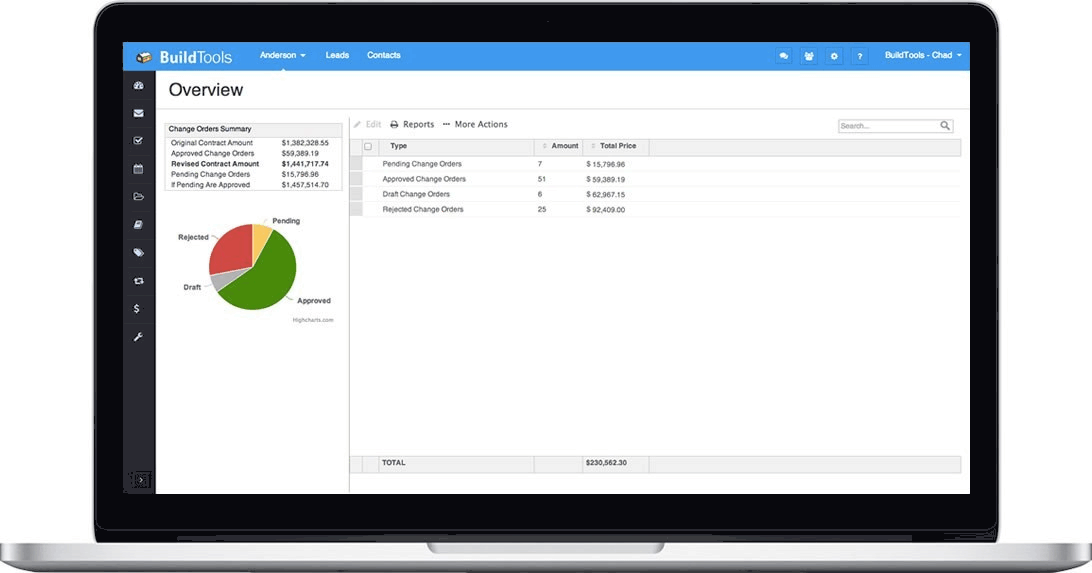
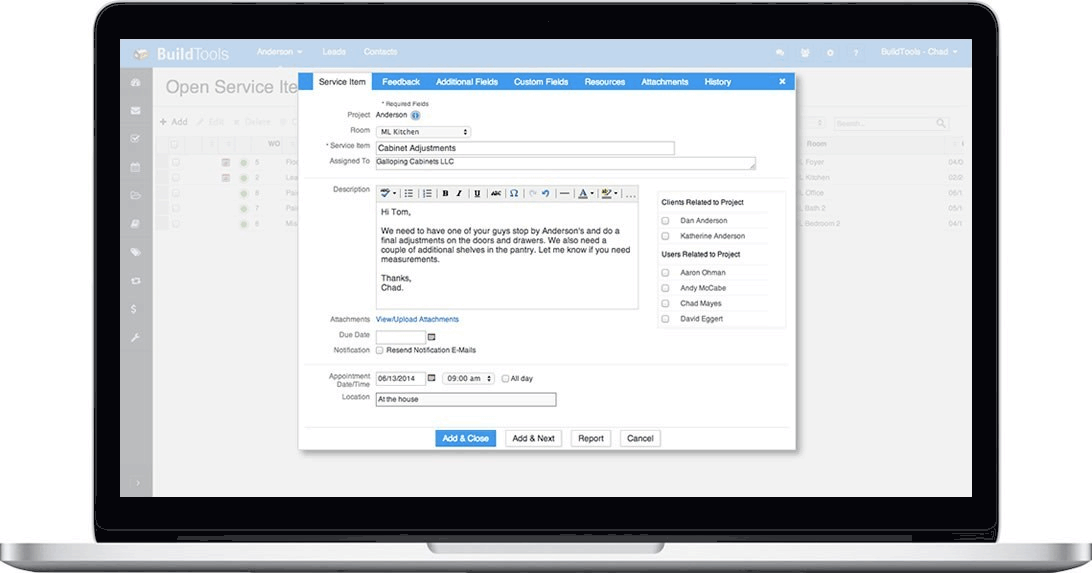
Description
BuildTools at a Glance
| HQ | BuildTools (specific HQ not publicly disclosed on the corporate site) |
|---|---|
| Category | AI-first construction management software for custom home builders and remodelers |
| Target market | Custom home builders and remodelers managing multiple active projects |
| AI generation | Change orders, RFIs, scopes of work, client emails |
| Live budget | Version control with QuickBooks sync |
| Gantt schedule | Critical path calculation |
| Document management | PDF markup with version history |
| Field photos | Auto-tagged with project and location |
| Client selections | Finishes and options tracking |
| Client portal | Project visibility for owner engagement |
| Mobile apps | Field and desktop use |
| Named customers | Mueller Homes, Bluestone Construction, Schneider Building Group, Minton Homes, Evolve, Stonewood, Mike Schaap Builders, MOSS, Platinum Homes |
| Value proposition | Collapses three apps and a stack of spreadsheets into one |
| Best fit | Custom home builders and remodelers wanting AI document generation with construction management workflow |
BuildTools Overview
BuildTools is an AI-first construction management software for custom home builders and remodelers managing multiple active projects. The platform delivers AI-powered proposal and document generation combined with core construction workflow including budget, schedule, document management, field photos, client selection management, and client portal.
The distinctive commercial angle is AI-first document generation combined with custom home builder vertical specialization. Where alternative construction management platforms (Procore, Buildertrend, CoConstruct) approach construction management as general contractor or SMB residential workflow, BuildTools focuses exclusively on custom home builders and remodelers where AI-generated change orders, RFIs, scopes of work, and client emails eliminate the repetitive document creation common in custom construction management.
The product covers AI-powered proposal and document generation for change orders (scope changes with pricing), RFIs (requests for information), scopes of work, and client emails, live budget with version control and QuickBooks sync for real-time cost tracking, Gantt schedule with critical path calculation for construction sequencing, document management with PDF markup and version history for plan review and collaboration, auto-tagged field photos for site documentation with automatic project and location tagging, client selection management for finishes and options tracking, client portal with project visibility for owner engagement, and mobile apps for field and desktop use. Named customer references span Mueller Homes, Bluestone Construction, Schneider Building Group, Minton Homes, Evolve Construction and Restoration, Stonewood, Mike Schaap Builders, MOSS Building and Design, and Platinum Homes by Mark Molthan validating custom home builder and remodeler adoption.
Capabilities and Named Features
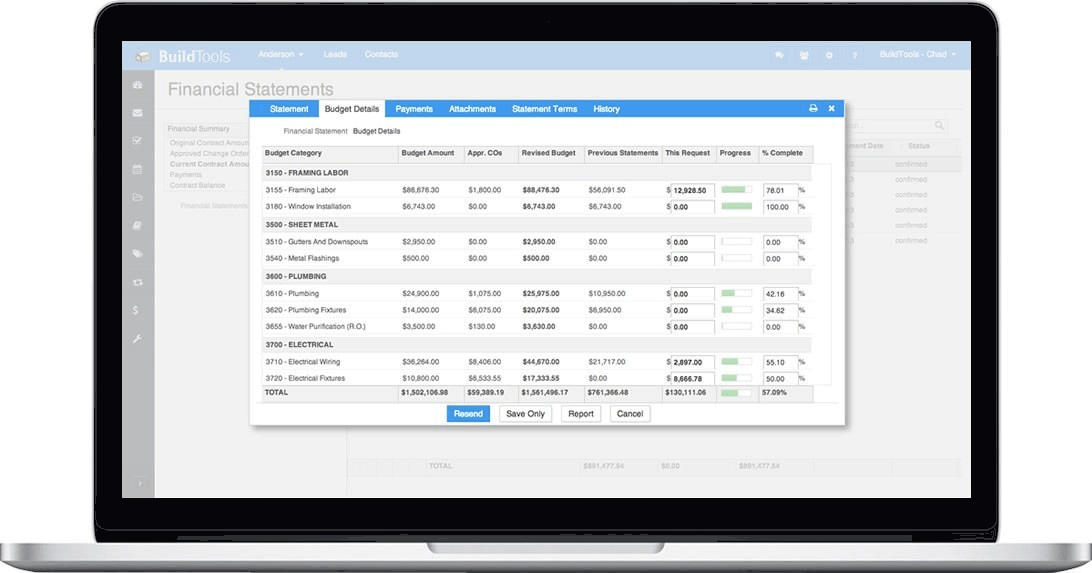
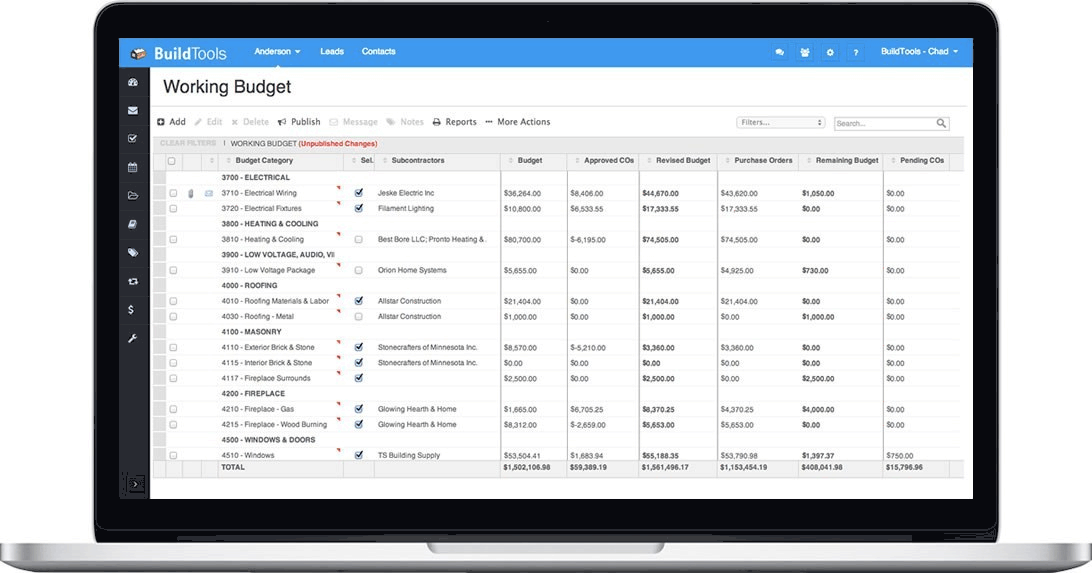
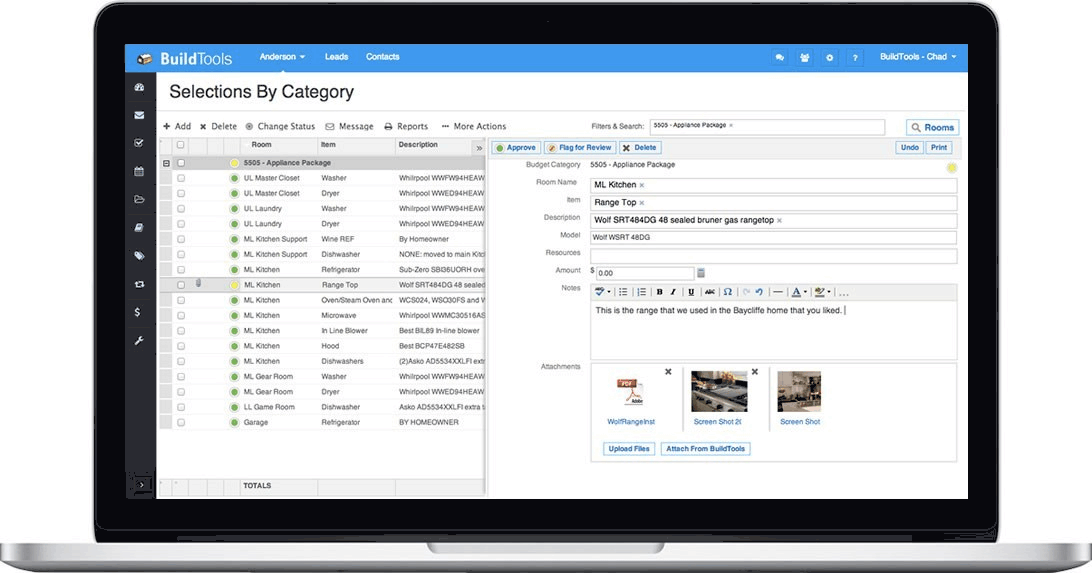
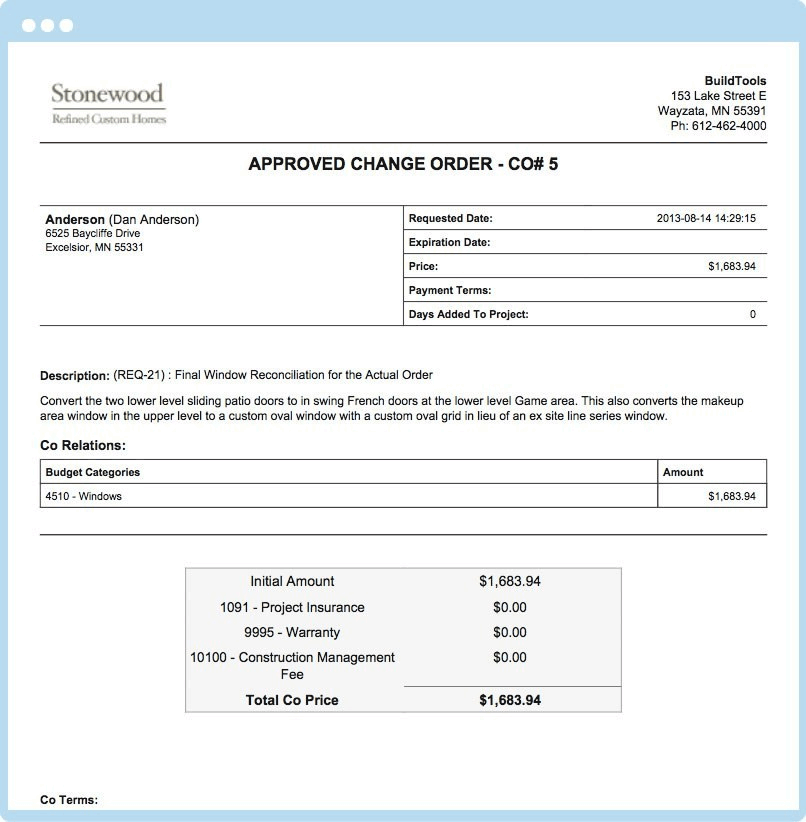
BuildTools delivers a full AI-first construction management workflow built to custom home builders and remodelers managing multiple active projects. AI-powered proposal and document generation creates change orders (scope changes with pricing), RFIs (requests for information for architects and engineers), scopes of work (detailed work descriptions for subcontractors), and client emails from prompts and project context eliminating repetitive document creation common in custom construction where each home involves dozens of change orders, RFIs, and client communications. Live budget with version control and QuickBooks sync tracks costs in real-time with version snapshots for audit trail and automatic synchronization with QuickBooks accounting eliminating duplicate data entry between construction management and accounting systems. Gantt schedule with critical path calculation identifies schedule-critical activities helping builders anticipate delays and manage resource allocation. Document management with PDF markup and version history supports plan review, architect and engineer collaboration, and revision tracking. Auto-tagged field photos capture site progress with automatic project and location tagging eliminating manual photo organization common in field documentation. Client selection management tracks finishes, fixtures, and options decisions with pricing and lead time visibility. Client portal delivers project visibility to homeowners including schedule progress, selections status, budget updates, and photos increasing client satisfaction while reducing communication burden on project managers. Mobile apps for iOS and Android let field staff document work, complete inspections, and update client status without desktop presence. Named customer roster (Mueller Homes, Bluestone Construction, Schneider Building Group, Minton Homes, Evolve, Stonewood, Mike Schaap Builders, MOSS Building and Design, Platinum Homes by Mark Molthan) validates custom home builder and remodeler adoption spanning small to premium custom construction operations.
Named feature list
- AI-powered change order generation
- AI-powered RFI generation
- AI-powered scope of work generation
- AI-powered client email generation
- Live budget with version control
- QuickBooks sync for accounting
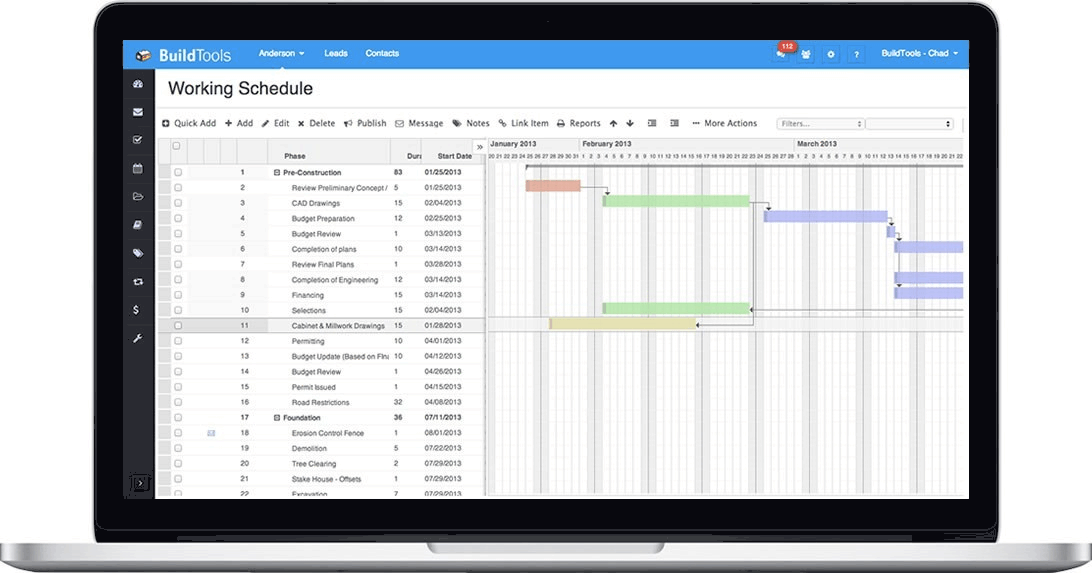
- Gantt schedule with critical path calculation
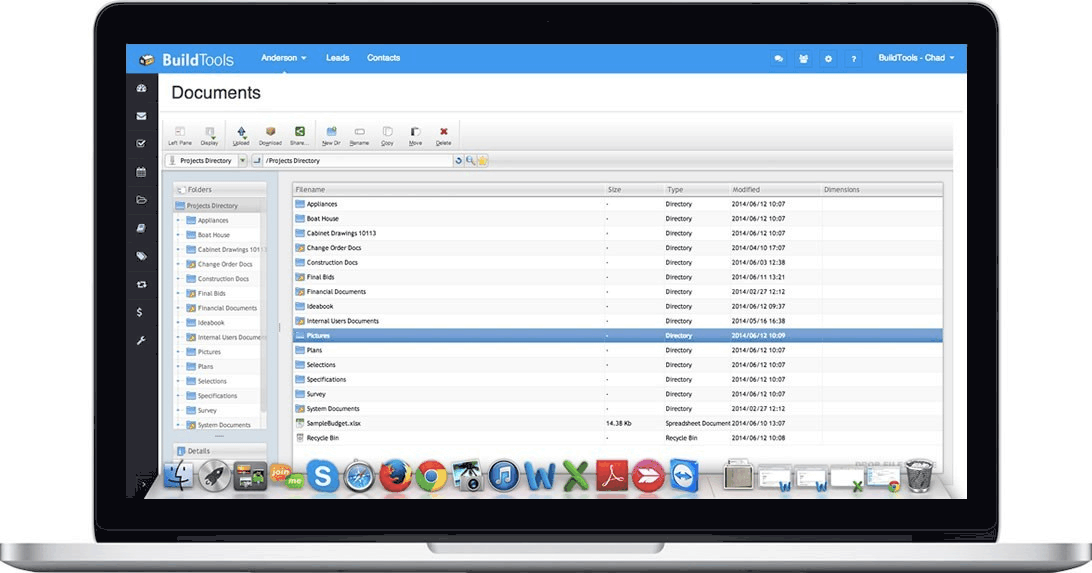
- Document management with PDF markup
- Version history for documents
- Auto-tagged field photos
- Client selection management
- Finishes and options tracking
- Client portal with project visibility
- Mobile apps for field and desktop
- Multi-project management
Pricing and Plans
BuildTools pricing tier details are not disclosed on the corporate site. Contracts are quoted per custom home builder or remodeler based on active project count, user counts, and module scope. Public benchmarks for construction management software targeting custom home builders and remodelers typically range 200-800+ USD per month depending on tier features and project volume.
| Tier | Price | What is included |
|---|---|---|
| Starter | Contact BuildTools | Entry tier for smaller custom home builders and remodelers | Core construction management, budget, schedule |
| Business | Contact BuildTools | Growing custom builder tier | Adds AI document generation, PDF markup, auto-tagged field photos |
| Enterprise | Contact BuildTools | Established custom builder tier | Full feature scope including client portal, priority support |
| Multi-Project | Contact BuildTools | Multi-project management for custom builders with 5+ concurrent active projects |
| QuickBooks Sync Setup | Contact BuildTools | QuickBooks live budget sync integration setup |
Pros
- AI-first document generation (change orders, RFIs, scopes of work, client emails) eliminates repetitive document creation in custom construction
- Custom home builder and remodeler vertical specialization matches these operations versus general contractor construction management alternatives
- Live budget with QuickBooks sync eliminates duplicate data entry between construction and accounting
- Gantt schedule with critical path calculation helps custom builders anticipate delays and manage resource allocation
- Auto-tagged field photos eliminate manual photo organization common in field documentation
- Named customer roster (Mueller Homes, Bluestone Construction, Schneider Building Group, Minton Homes, MOSS Building and Design) validates custom builder adoption
- Client portal delivers project visibility to homeowners increasing satisfaction while reducing project manager communication burden
Cons and Trade-offs
- Specific HQ location not publicly disclosed on corporate site
- Pricing tier details not disclosed on corporate site; requires BuildTools sales conversation
- Custom home builder and remodeler vertical specialization limits fit for general contractor or commercial construction management
- AI document generation quality depends on project context data quality and AI model calibration
- QuickBooks-native positioning may limit fit for builders using alternative accounting platforms (Xero, Sage)
BuildTools vs Alternatives
| Vendor | Best for | AI document generation |
|---|---|---|
| BuildTools | Custom home builders and remodelers wanting AI document generation with construction workflow | Yes, AI-first |
| Buildertrend | Home builder and remodeler construction management | Basic AI features |
| CoConstruct (Buildertrend) | Custom home builder construction management (now part of Buildertrend) | Basic AI features |
| Procore | General contractor and commercial construction management | Procore AI |
| JobTread | Home builder and remodeler construction management with financial focus | Limited AI |
Who Should Choose BuildTools
BuildTools fits custom home builders and remodelers managing multiple active projects wanting AI-first document generation combined with construction management workflow. The strongest fit is small to premium custom home builders (Mueller Homes, Bluestone Construction, Schneider Building Group, Minton Homes, Mike Schaap Builders, Platinum Homes by Mark Molthan are named customers), remodelers with multi-project workflows (MOSS Building and Design, Evolve Construction and Restoration named customers), custom builders using QuickBooks accounting wanting live budget sync, and builders valuing AI-generated change orders, RFIs, and client emails to reduce repetitive document work. General contractor and commercial construction management buyers may prefer Procore. Home builder and remodeler construction management without AI-first positioning may prefer Buildertrend or CoConstruct (now Buildertrend). Home builder financial-focus buyers may prefer JobTread.
Named Alternatives to BuildTools
- Buildertrend. Home builder and remodeler construction management
- CoConstruct (Buildertrend). Custom home builder construction management (now part of Buildertrend)
- Procore. General contractor and commercial construction management
- JobTread. Home builder and remodeler construction management with financial focus
Implementation and Deployment
BuildTools rollouts typically complete in 2-8 weeks for custom home builder and remodeler deployments. Standard phases: BuildTools sales conversation and tier selection, custom home builder workflow discovery for project types, subcontractor network, and client engagement patterns, user provisioning for project managers, superintendents, estimators, and admin staff, QuickBooks live budget sync integration setup, Gantt schedule template configuration for custom home construction phases, document template setup for change orders, RFIs, scopes of work, and client emails, AI document generation training with builder-specific context data, mobile app rollout for field staff, client portal setup for owner engagement, pilot project with subset of active projects, and full production rollout across custom builder operations.
What Real Buyers Say About BuildTools
Custom home builder and remodeler operations leaders on Reddit r/HomeImprovement, r/Construction, and custom home builder publications describe BuildTools as a distinctive AI-first construction management alternative to Buildertrend, CoConstruct (now Buildertrend), Procore, and JobTread. Buyers cite the AI-powered change order and RFI generation, live QuickBooks budget sync, Gantt with critical path, auto-tagged field photos, and named customer roster (Mueller Homes, Bluestone Construction, Schneider Building Group, Minton Homes, MOSS Building and Design) as decisive versus general contractor construction management or basic-AI home builder alternatives. Common friction: specific HQ location not publicly disclosed, pricing tier details not disclosed, and custom builder vertical focus limits fit for general contractor or commercial construction.
Vendor references: BuildTools corporate homepage, BuildTools customer stories, BuildTools features overview.
Related Category Guides on SaaSRat
Prospective BuildTools evaluators may find related buyer guidance on SaaSRat useful. See our category coverage for construction management, home builder, remodeling for adjacent software category evaluation.
Additional Context from Buyer Communities
Broader discussion of this category can be found in buyer communities and professional publications. Relevant threads include Custom home builder discussion on Reddit and AI construction software on LinkedIn.
The Bottom Line on BuildTools
BuildTools is an AI-first construction management software for custom home builders and remodelers delivering AI-powered proposal and document generation (change orders, RFIs, scopes of work, client emails), live budget with version control and QuickBooks sync, Gantt schedule with critical path calculation, document management with PDF markup and version history, auto-tagged field photos, client selection management, client portal with project visibility, and mobile apps for field and desktop use serving Mueller Homes, Bluestone Construction, Schneider Building Group, Minton Homes, Evolve, Stonewood, Mike Schaap Builders, MOSS Building and Design, and Platinum Homes by Mark Molthan.
Choose BuildTools if you are a custom home builder or remodeler managing multiple active projects wanting AI-first document generation combined with construction management workflow, you use QuickBooks accounting and want live budget sync eliminating duplicate data entry, or you value AI-generated change orders, RFIs, and client emails to reduce repetitive document work.
Skip it if you want home builder and remodeler construction management with broader market presence and basic AI (Buildertrend fits better), you want custom home builder platform now part of Buildertrend (CoConstruct fits better), you are a general contractor or commercial construction operation (Procore fits better), or you want financial-focused home builder management (JobTread fits better).
The competitors to shortlist alongside BuildTools are Buildertrend, CoConstruct (Buildertrend), Procore, and JobTread for construction management software for custom home builders and remodelers.
Verified on 2026-08-04 against vendor website.
Frequently Asked Questions
What is BuildTools?
Who owns BuildTools?
How much does BuildTools cost?
Which builders use BuildTools?
Does BuildTools integrate with QuickBooks?
What AI features does BuildTools include?
Does BuildTools have a client portal?
What is the difference between BuildTools and Buildertrend?
How long does BuildTools implementation take?
Where is BuildTools headquartered?
Find Your Perfect Software
See how it can transform your workflow
- Personalized for your needs Tailored recommendations based on your unique requirements.
- Save time & resources Streamline your workflow and boost team productivity.
- Trusted by thousands Join 10,000+ businesses already growing with SaaSrat.
You're all set! 🎉
A specialist for will reach out within 1 business day with tailored recommendations for your needs.