

Autodesk Construction Cloud
by Autodesk Inc.
What is Autodesk Construction Cloud?
Get Best Quote for Autodesk Construction Cloud
Connect with SaaSrat experts to get the best quote for your business.
You're all set!
A specialist for Autodesk Construction Cloud will reach out within 1 business day.
Autodesk Construction Cloud Features
Document management
Project management
Cost management
Quality management
Safety management
Design collaboration
View All 20 Features
Autodesk Construction Cloud Resources
Autodesk Construction Cloud Screenshots
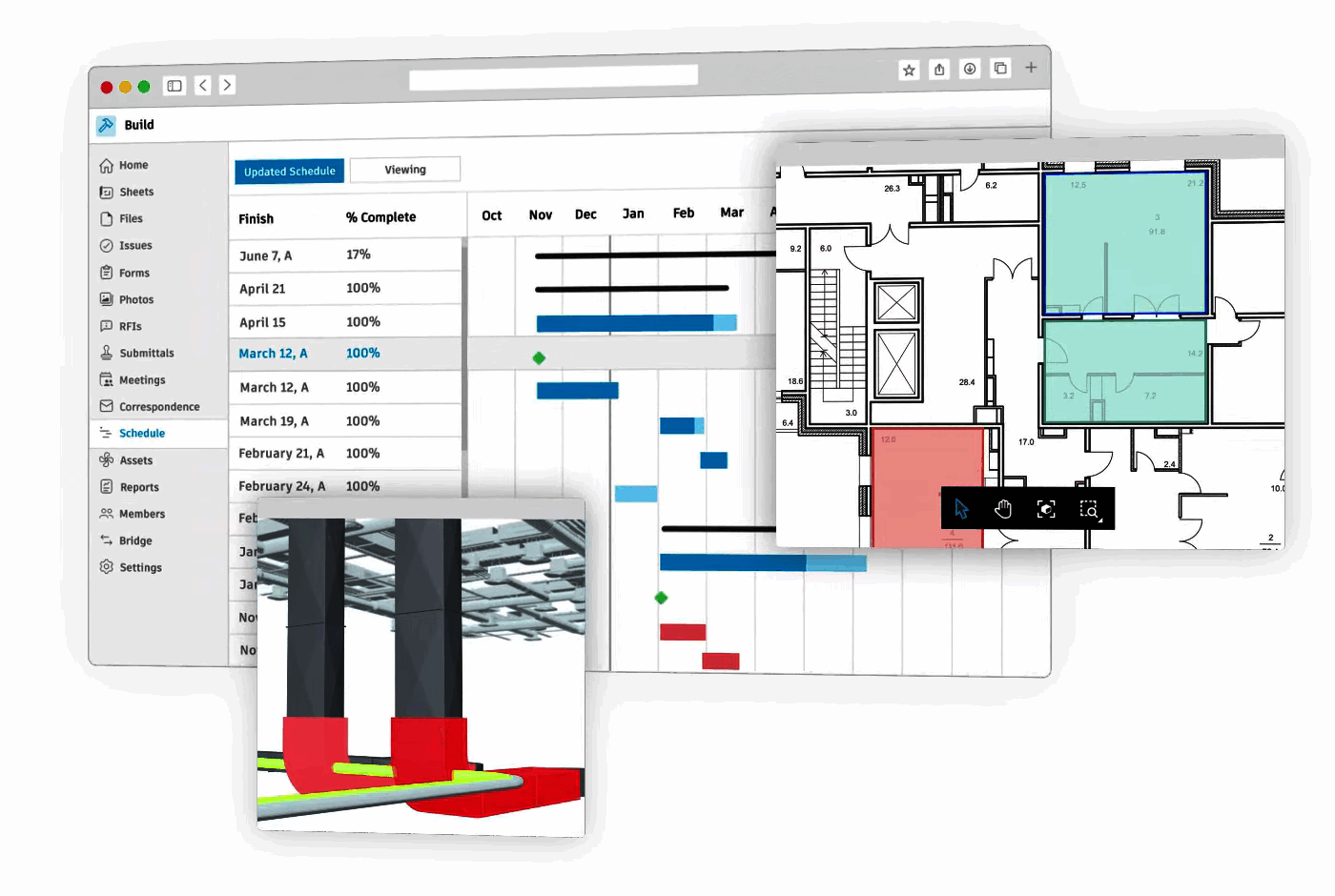
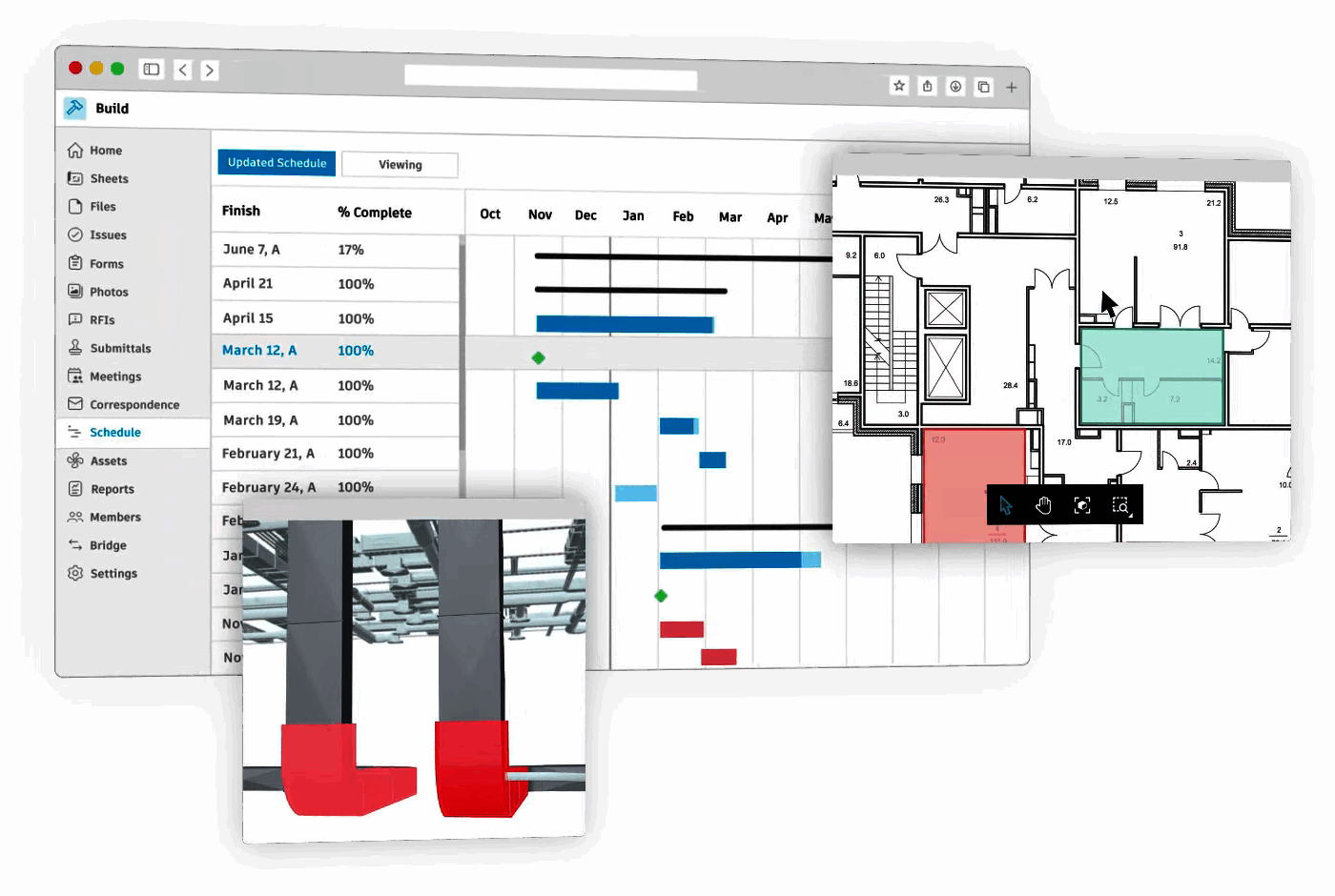
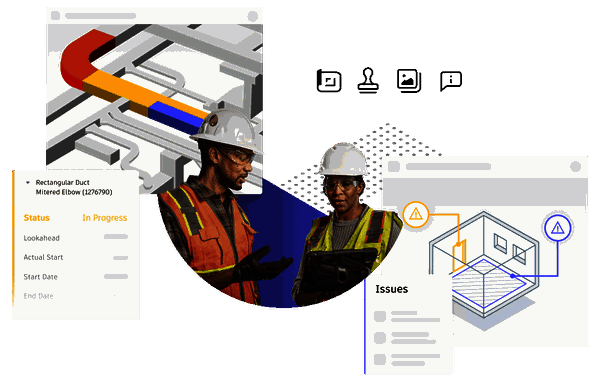
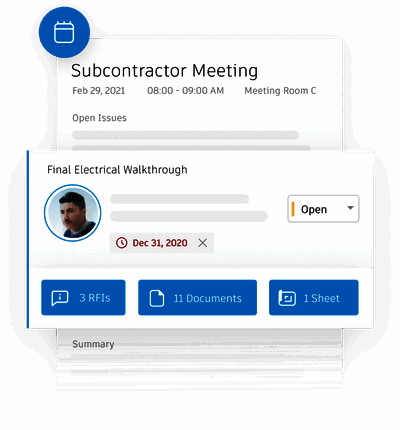
Description
Autodesk Construction Cloud at a Glance
| HQ | San Francisco, California, United States (The Landmark, 1 Market Street) |
|---|---|
| Parent | Autodesk, Inc. (NASDAQ: ADSK) |
| Category | Construction management platform for design through closeout |
| Deployment | Cloud SaaS with iOS and Android field apps |
| Products | Autodesk Build, Autodesk Docs, BIM Collaborate, Autodesk Takeoff, Cost Management, Model Coordination |
| Brand transition | Modules transitioning to Autodesk Forma branding under broader AI-first platform strategy |
| Reported scale | 2M+ projects hosted and 17,000+ reviews |
| Named customers | DPR Construction, Princeton University, Boldt, Gaylord Electric, Walsh Group, Miron Construction, Saunders Construction |
| Pricing basis | Per user per month, quoted; contact Autodesk sales |
| Best fit | General contractors, specialty trades, and owners with existing Autodesk (Revit) design ecosystem investment |
Autodesk Construction Cloud Overview
Autodesk Construction Cloud is the construction management platform from Autodesk that lets project teams collaborate securely across the full construction lifecycle from design coordination through field execution and closeout. The platform is transitioning module branding to Autodesk Forma as part of Autodesk broader AI-first design and construction platform strategy.
The distinctive commercial angle is unified construction platform coverage across Autodesk Build (field management including RFIs, submittals, daily reports), Autodesk Docs (document centralization and version control), BIM Collaborate (design coordination and clash detection), Autodesk Takeoff (estimating from 2D drawings and 3D models), Cost Management (budget tracking and change orders), and Model Coordination (BIM clash detection). This positions ACC against Procore, Asite, Trimble Viewpoint, and Oracle Aconex.
Autodesk Construction Cloud is owned by Autodesk (NASDAQ: ADSK), headquartered at The Landmark, 1 Market Street, San Francisco, California with 17,000+ reviews and 2M+ projects hosted. Named enterprise customers include DPR Construction, Princeton University, Boldt, Gaylord Electric, Walsh Group, Miron Construction, and Saunders Construction across general contractors, higher education construction, and specialty trades.
Capabilities and Named Features
Autodesk Construction Cloud delivers a full construction management workflow across the project lifecycle. Autodesk Build handles field management including RFIs (Requests for Information), submittals, daily reports, punch lists, photo documentation, and issue tracking for general contractors and specialty trades on active construction sites. Autodesk Docs centralizes document management with version control, markup, and permission-based access for design drawings, specifications, contracts, and site documentation. BIM Collaborate provides design coordination and model management for architects, engineers, and contractors working from shared Revit and IFC models. Model Coordination handles BIM clash detection identifying interference between disciplines (structural, mechanical, electrical, plumbing) before construction. Autodesk Takeoff provides estimating from 2D drawings and 3D models letting preconstruction teams generate quantity takeoffs directly from Revit models rather than manual counting. Cost Management tracks budgets, change orders, and financial forecasts across the project lifecycle. Project Management workflows cover RFIs, submittals, daily reports, and schedule management. The tight integration with Autodesk Revit, AutoCAD, and Civil 3D differentiates ACC from platform-agnostic construction management competitors and suits general contractors with existing Autodesk design ecosystem investment.
Named feature list
- Autodesk Build for field management (RFIs, submittals, daily reports, punch lists)
- Autodesk Docs for document centralization with version control
- BIM Collaborate for design coordination on Revit and IFC models
- Model Coordination with BIM clash detection across disciplines
- Autodesk Takeoff for estimating from 2D drawings and 3D models
- Cost Management for budget tracking and change orders
- Project Management with schedule and issue tracking
- Photo documentation and site documentation
- iOS and Android field apps for site teams
- Native integration with Autodesk Revit, AutoCAD, Civil 3D
- BIM 360 legacy migration paths for existing Autodesk customers
- API access for custom integrations
- Multi-project and multi-account administration
- Enterprise SSO through Autodesk Identity Federation
- Data residency options across US, EU, and APAC regions
Pricing and Plans
Autodesk does not publish list pricing for Construction Cloud on the public site. Contracts are quoted per user per month based on product mix (Autodesk Build only versus full platform bundle), project count, and enterprise commitment level. Public reference points from Autodesk partner benchmarks show Autodesk Build starting around 145 USD per user per month, Autodesk Docs around 40 USD per user per month, and BIM Collaborate around 100 USD per user per month with volume seat discounts and enterprise annual contracts. Contact Autodesk sales for current tier rates.
| Tier | Price | What is included |
|---|---|---|
| Autodesk Docs | Contact Vendor | Document centralization with version control | Priced per user per month | Public benchmarks around 40 USD per user per month |
| Autodesk Build | Contact Vendor | Field management module: RFIs, submittals, daily reports, punch lists | Priced per user per month | Public benchmarks around 145 USD per user per month |
| BIM Collaborate | Contact Vendor | Design coordination on Revit and IFC models plus Model Coordination | Public benchmarks around 100 USD per user per month |
| Autodesk Takeoff | Contact Vendor | Estimating from 2D drawings and 3D models | Priced per user per month |
| Enterprise Bundle | Contact Vendor | Full Autodesk Construction Cloud platform bundle plus Autodesk AEC Collection for design teams | Volume seat and enterprise annual discounts |
Pros
- Tight integration with Autodesk Revit, AutoCAD, and Civil 3D suits general contractors with existing Autodesk design ecosystem investment
- Unified platform coverage across design coordination through field execution and closeout
- Named enterprise customer roster DPR Construction, Princeton University, Boldt, Walsh Group, Miron Construction, Saunders Construction validates operational scale
- 2M+ projects hosted and 17,000+ reviews validate market position
- Model Coordination with BIM clash detection prevents costly on-site interference discoveries
- Autodesk Takeoff generates quantity takeoffs directly from Revit models rather than manual counting
- Global Autodesk support and partner network across the construction industry
Cons and Trade-offs
- List pricing not published; per-product quotes require sales conversation
- Ecosystem lock-in benefits Autodesk-invested design teams but reduces relevance for Bentley Systems or Vectorworks design shops
- Module brand transition to Autodesk Forma may create short-term buyer confusion
- Implementation typically requires 3-9 months for enterprise multi-module deployments with change management overhead
- Not a fit for very small residential construction where Buildertrend or CoConstruct fit better
Autodesk Construction Cloud vs Alternatives
| Vendor | Best for | Design ecosystem |
|---|---|---|
| Autodesk Construction Cloud | General contractors with Autodesk Revit design ecosystem | Native Autodesk Revit, AutoCAD, Civil 3D integration |
| Procore | General contractors wanting broadest construction PM | Design ecosystem-neutral |
| Asite | Tier-1 ISO 19650 CDE for enterprise construction | ISO 19650 standards-based |
| Trimble Viewpoint | Trimble-invested contractors | Native Trimble design ecosystem |
| Oracle Aconex | Enterprise construction document control | Design ecosystem-neutral |
Who Should Choose Autodesk Construction Cloud
Autodesk Construction Cloud fits general contractors, specialty trades, and construction owners with existing Autodesk Revit design ecosystem investment. The strongest fit is large general contractors (500+ employees, 100M+ USD annual revenue) building complex commercial, healthcare, higher education, and infrastructure projects where Revit-native BIM coordination is critical. It also fits mid-market contractors wanting Autodesk Build for field management plus Docs for document centralization on projects designed in Revit. Buyers with Bentley Systems or Vectorworks design ecosystems are typically better served by design-neutral construction platforms (Procore, Asite, Oracle Aconex). Very small residential contractors are typically better served by Buildertrend or CoConstruct.
Named Alternatives to Autodesk Construction Cloud
- Procore. General contractors wanting broadest construction PM
- Asite. Tier-1 ISO 19650 CDE for enterprise construction
- Trimble Viewpoint. Trimble-invested contractors
- Oracle Aconex. Enterprise construction document control
Implementation and Deployment
Autodesk Construction Cloud rollouts typically run 3-9 months for enterprise general contractor deployments depending on module scope, existing Autodesk Revit design workflow integration, and change management complexity. Standard phases: kickoff and construction workflow discovery, module selection (Build, Docs, BIM Collaborate, Takeoff, Cost Management), Autodesk account and hub setup, project template configuration, integration with existing Autodesk Revit models and AutoCAD drawings, user role setup across office and field teams, iOS and Android mobile app rollout to field crews, pilot project go-live, and full multi-project rollout. Autodesk Construction Cloud implementation services and certified Autodesk partners handle most enterprise deployments.
What Real Buyers Say About Autodesk Construction Cloud
Construction project managers on LinkedIn and construction industry publications describe Autodesk Construction Cloud as the leading platform for general contractors with Autodesk Revit design ecosystem investment. Buyers cite tight Revit and AutoCAD integration, Autodesk Takeoff quantity generation from Revit models, and Model Coordination BIM clash detection as decisive versus design-neutral competitors (Procore, Oracle Aconex). Named enterprise references DPR Construction, Princeton University, Boldt, Walsh Group, Miron Construction, and Saunders Construction validate large-scale deployment capability. Common friction: list pricing not published, ecosystem lock-in reduces relevance for non-Autodesk design shops, and module brand transition to Autodesk Forma may cause short-term buyer confusion.
Vendor references: Autodesk Construction Cloud corporate homepage, Autodesk Construction Cloud customer stories, Autodesk parent company.
The Bottom Line on Autodesk Construction Cloud
Autodesk Construction Cloud is the construction management platform from Autodesk (NASDAQ: ADSK) with unified coverage across Autodesk Build (field), Docs, BIM Collaborate, Takeoff, Cost Management, and Model Coordination, transitioning modules to Autodesk Forma branding under the broader AI-first strategy.
Choose Autodesk Construction Cloud if you are a general contractor, specialty trade, or construction owner with existing Autodesk Revit design ecosystem investment wanting Revit-native BIM coordination, Autodesk Takeoff quantity generation from Revit models, or Model Coordination for BIM clash detection before construction.
Skip it if your design ecosystem is Bentley Systems or Vectorworks (design-neutral platforms fit better), you are a very small residential contractor (Buildertrend, CoConstruct fit better), or you need enterprise construction document control at ISO 19650 depth (Asite, Oracle Aconex fit better).
The competitors to shortlist alongside Autodesk Construction Cloud are Procore, Asite, Trimble Viewpoint, and Oracle Aconex for construction management platforms.
Verified on 2026-08-04 against vendor website.
Sources and Citations
Frequently Asked Questions
What is Autodesk Construction Cloud?
Who owns Autodesk Construction Cloud?
How much does Autodesk Construction Cloud cost?
What products are in Autodesk Construction Cloud?
Which companies use Autodesk Construction Cloud?
What is the difference between Autodesk Build and Autodesk Docs?
Is Autodesk Construction Cloud transitioning to Autodesk Forma?
How is Autodesk Construction Cloud different from Procore?
How long does Autodesk Construction Cloud implementation take?
Where is Autodesk headquartered?
Find Your Perfect Software
See how it can transform your workflow
- Personalized for your needs Tailored recommendations based on your unique requirements.
- Save time & resources Streamline your workflow and boost team productivity.
- Trusted by thousands Join 10,000+ businesses already growing with SaaSrat.
You're all set! 🎉
A specialist for will reach out within 1 business day with tailored recommendations for your needs.