
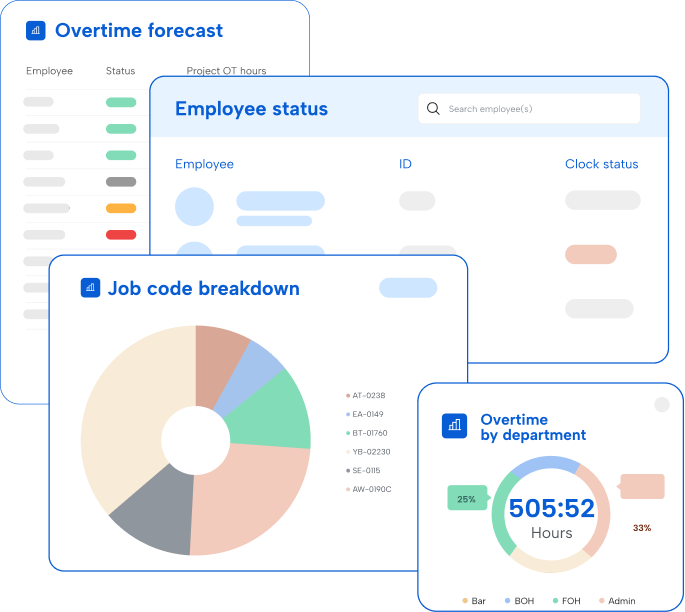
Timeclock Plus
by TimeClock Plus, LLC
What is Timeclock Plus?
Get Best Quote for Timeclock Plus
Connect with SaaSrat experts to get the best quote for your business.
You're all set!
A specialist for Timeclock Plus will reach out within 1 business day.
Timeclock Plus Features
Time tracking via web mobile and physical clocks
Biometric and facial recognition clock-in
Leave and accrual management with automated calculation
Shift scheduling with drag-and-drop assignment
Job costing across labor classes
Union and overtime rule compliance
View All 15 Features
Timeclock Plus Pricing Plans
Essentials
- Starting at ~$2.50 per employee per month per independent buyer aggregator sources. Core time tracking, basic reporting, basic attendance management, web and mobile clock-in. For organizations new to formal time tracking.
Professional
- Quote-based for mid-market with advanced features. Includes shift scheduling, accrual rules, advanced reporting, leave management, multi-location support, payroll integrations.
Enterprise
- Quote-based for complex labor rules and HCM integration. Includes union rule engine, multi-rate employees, K-12 and higher education modules, federal program reporting, custom integrations, dedicated customer success.
Hardware Clocks
- Biometric and facial recognition physical time clocks for shop floors, school break rooms, hospital units. Priced separately from software subscription. Includes installation and warranty options.
Timeclock Plus Screenshots
Description
What is TimeClock Plus?
TimeClock Plus is the flagship time and attendance product from TCP Software, a US-based workforce management company headquartered in San Angelo, Texas. The product has been on the market since 1988 and serves more than 60,000 organizations across education, healthcare, manufacturing, government, and other sectors with hourly and shift-based workforces.
TCP Software (the parent brand) operates TimeClock Plus alongside companion products including Humanity Schedule (shift scheduling acquired from TCP Humanity), Aladtec (public safety scheduling), and Humanity Time. TimeClock Plus remains the central time and attendance product within the portfolio.
Who TimeClock Plus is built for
TimeClock Plus fits mid-market and enterprise employers (200 to 50,000+ employees) with hourly and shift-based workforces where accurate time tracking, accrual management, and payroll-ready data matter. K-12 school districts, higher education institutions, hospitals and health systems, manufacturing plants, municipal governments, and county agencies are common customer profiles.
The strongest fit is organizations with complex labor rules: collective bargaining agreements with negotiated overtime, FLSA-compliant overtime calculation, school district work-study tracking, multi-rate employees (different pay by job class), and accrual policies that vary by tenure or department.
It is less of a fit for small businesses under 50 employees (Jibble, Clockify, or QuickBooks Time fit better), for project-time-first knowledge work (Harvest, Toggl), or for organizations whose existing HCM (Workday, UKG, ADP) already includes adequate time and attendance.
TimeClock Plus pricing plans
| Plan | Pricing | Best for |
|---|---|---|
| Essentials | ~$2.50 employee/mo | Basic time and attendance |
| Professional | Quote-based | Mid-market with advanced features |
| Enterprise | Quote-based | Complex labor rules and HCM integration |
| Hardware clocks | Quote-based | Biometric and facial recognition devices |
TimeClock Plus pricing has historically ranged from $2.50 to $4.16 per employee per month for the Essentials tier per independent buyer aggregator data. Professional and Enterprise plans are custom-quoted based on organization size, feature requirements, and HCM integration depth. Hardware time clocks (physical devices for shop floors, school break rooms, hospital units) are priced separately.
The Essentials plan covers time tracking, basic reporting, and core attendance management. Professional adds advanced scheduling, accrual rules, and reporting depth. Enterprise unlocks complex labor rules, multi-location workforce management, HCM integrations (ADP, UKG, Paychex, Workday), API access, and dedicated customer success. Free trials are not offered; demos and guided tours are the evaluation path.
TimeClock Plus core capabilities
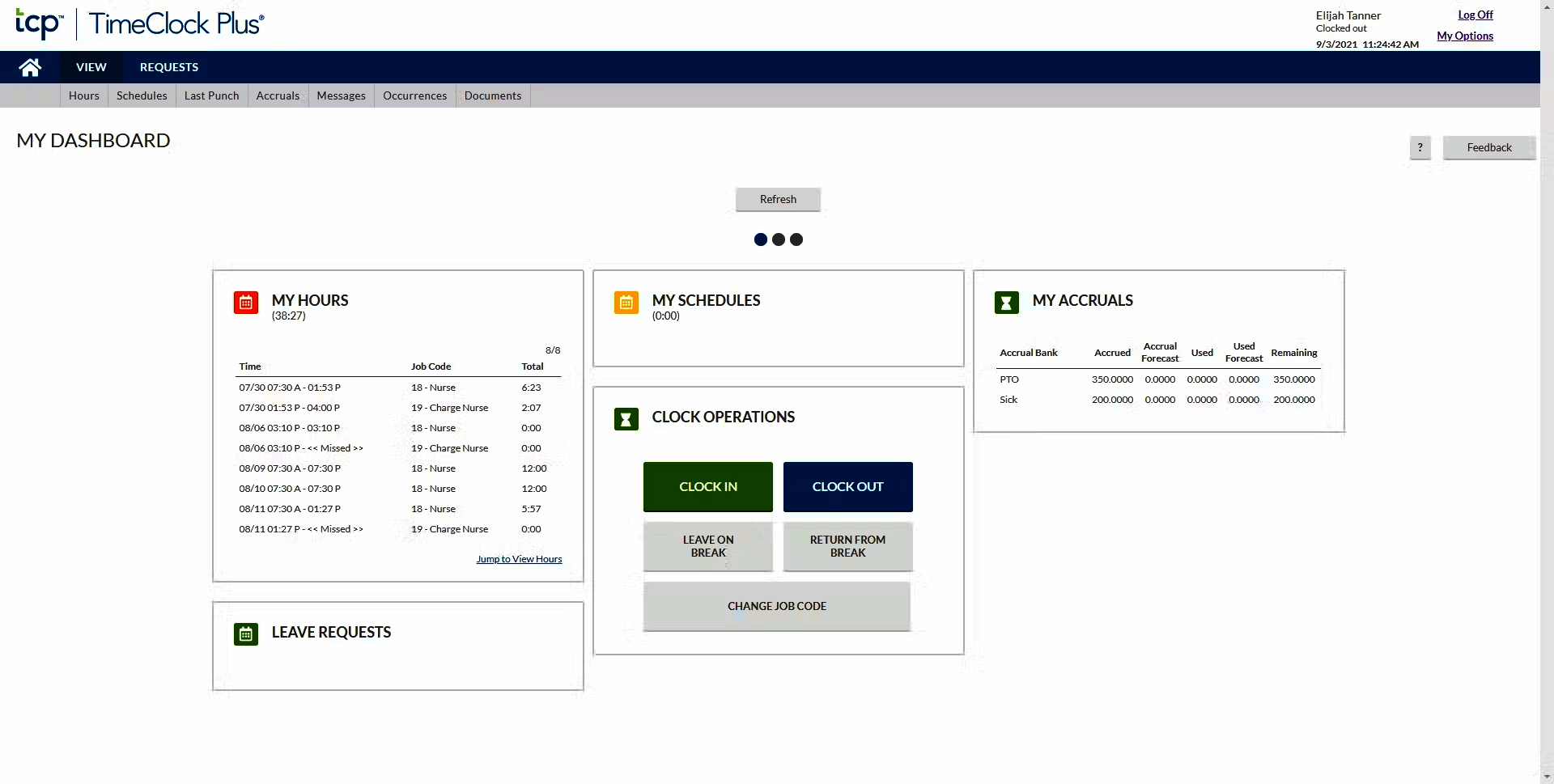
Time tracking is the spine. Employees clock in and out via web browser, iOS or Android mobile app, biometric or facial recognition physical clock, kiosk on a shared tablet, or text-message-based clock-in for field workers. Each method verifies identity and stamps timestamp with location data when GPS is enabled.
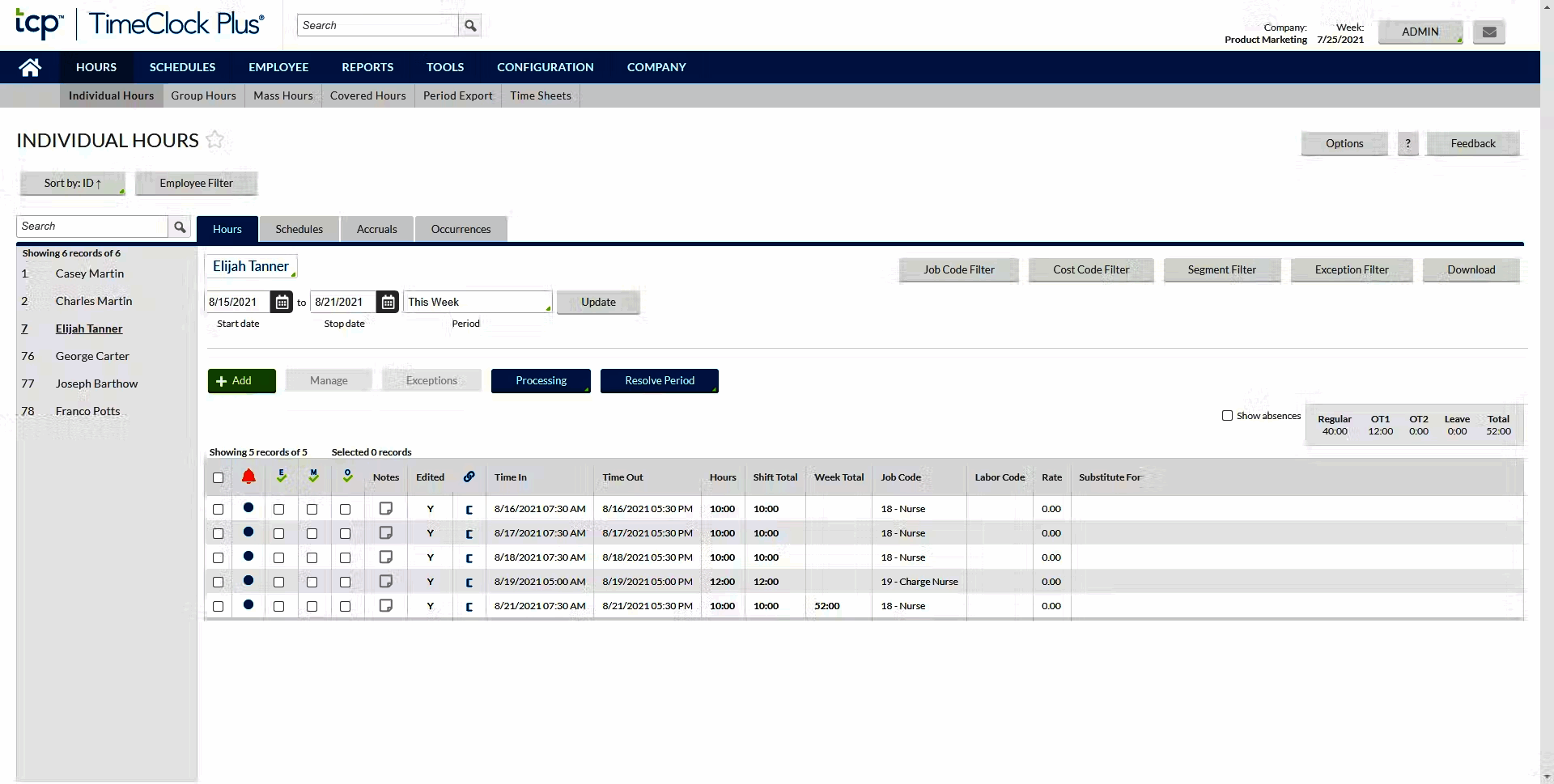
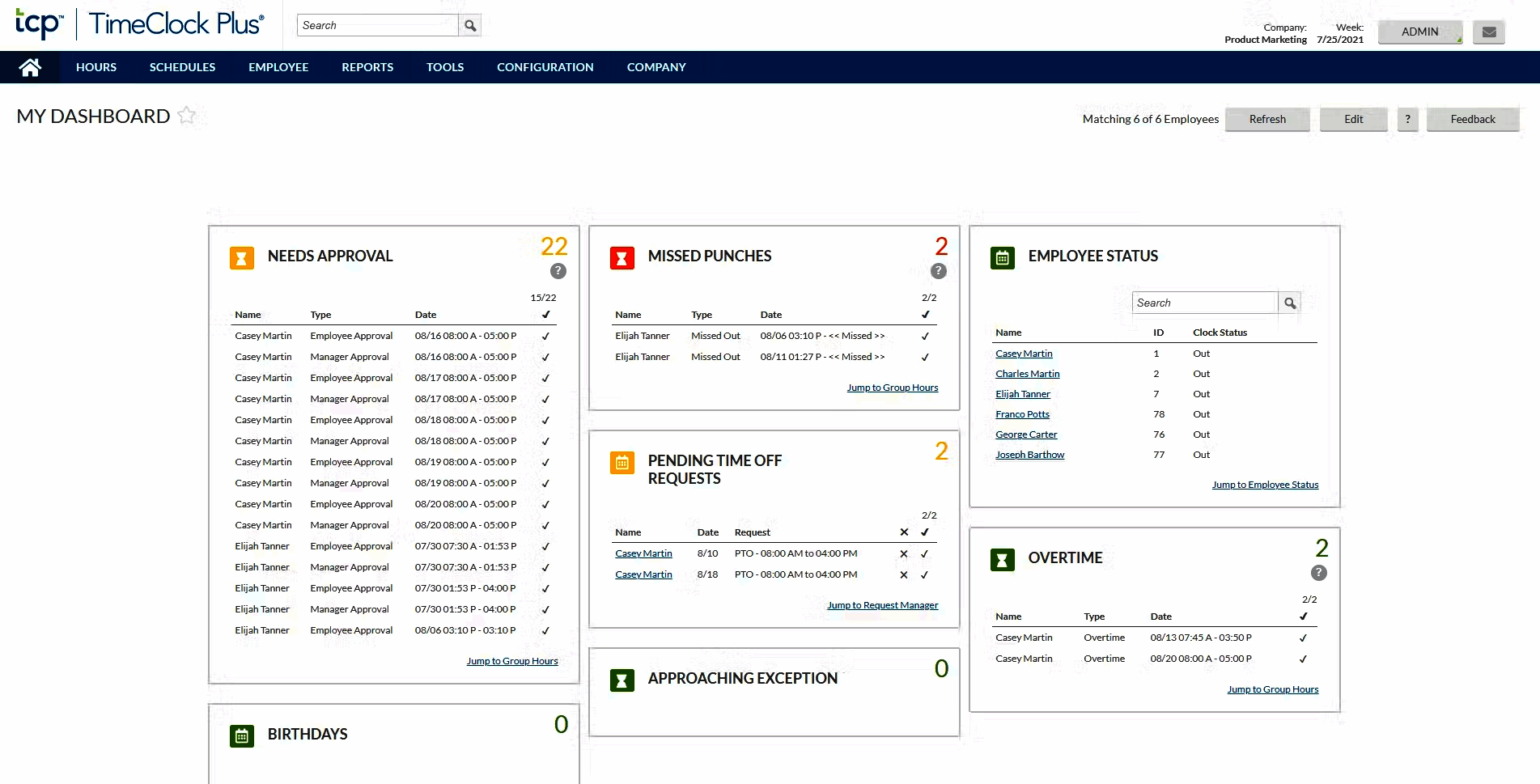
Time entries roll up to timesheets aggregated by day, week, or pay period. Approval workflows route timesheets to supervisors for review before payroll runs. Edits to past entries require approval and create audit trail records.
Leave and accrual management
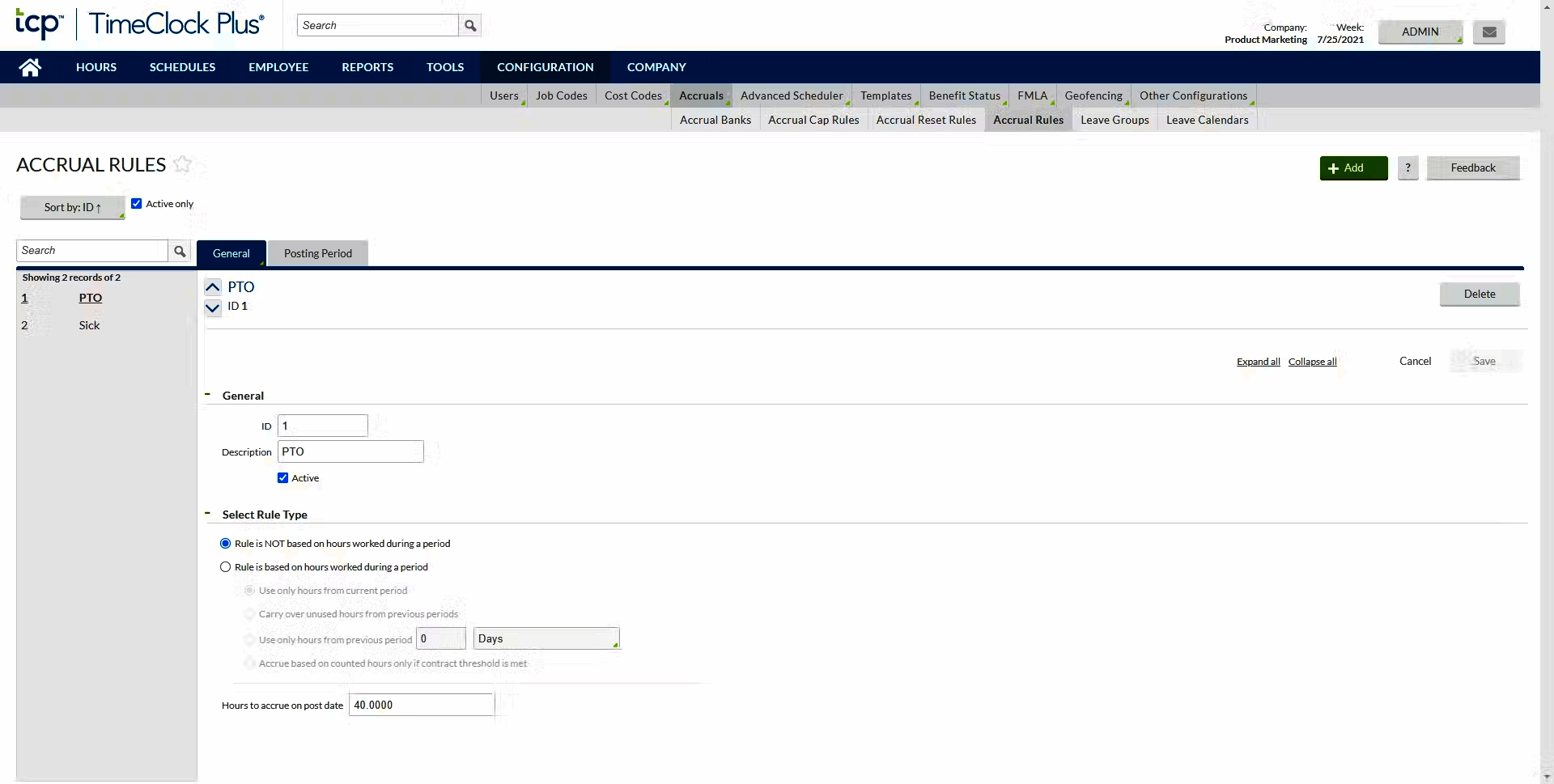
Accruals (vacation, sick leave, PTO, comp time, sabbatical) calculate automatically based on tenure, job class, hours worked, and union rules. Different accrual rules can apply per department, location, or position. Carry-over policies, cap limits, and use-it-or-lose-it deadlines all configure in the rule engine.
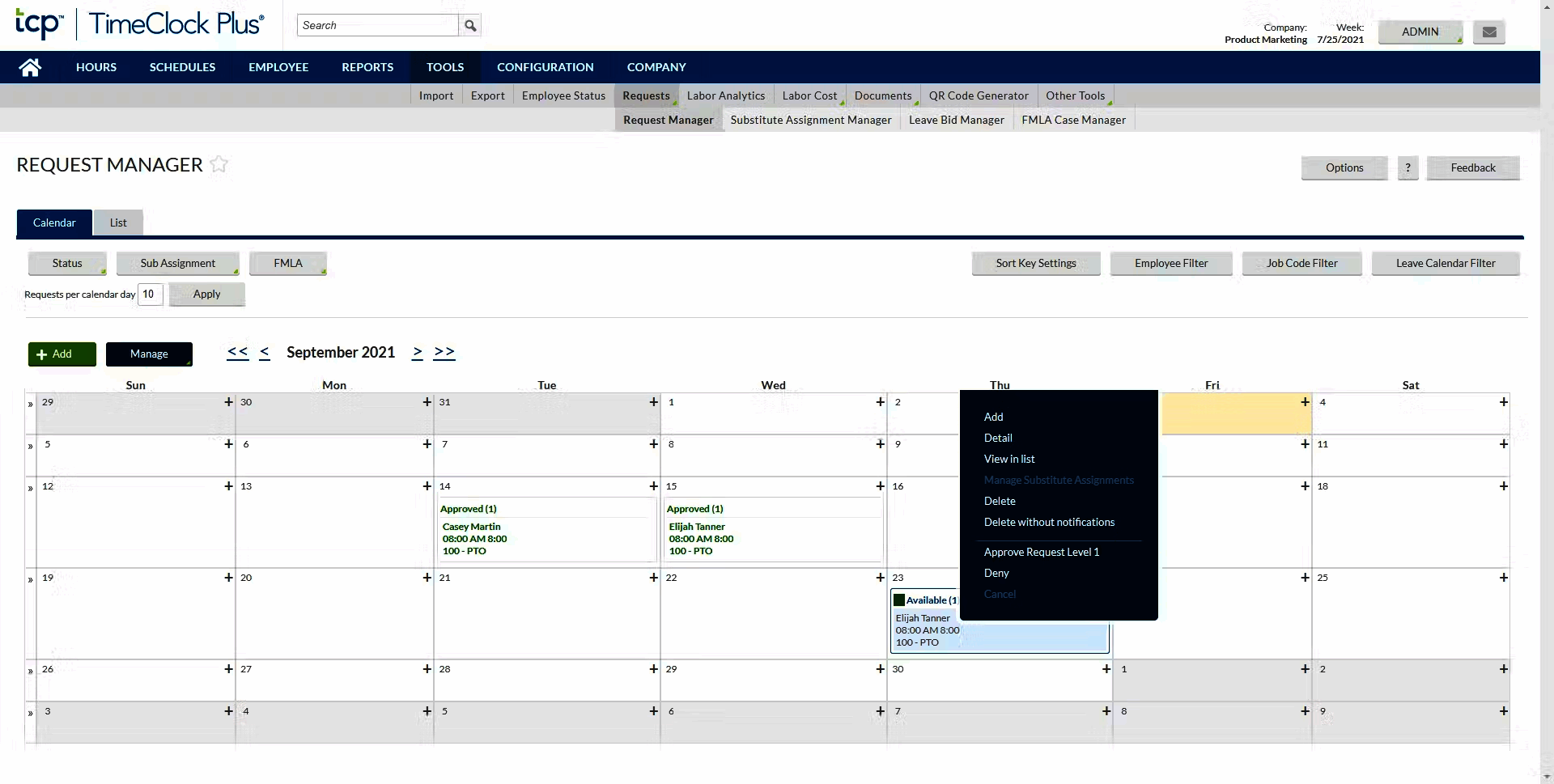
Leave requests submit through self-service mobile or web; supervisors approve or deny; approved leave deducts from accrual balance automatically. This eliminates the manual leave-tracking spreadsheets most HR teams maintain.
Shift scheduling
Schedule view (Professional and up) is a drag-and-drop calendar where managers assign shifts to employees across days and weeks. Employees see schedules in the mobile app with reminders before each shift. Conflict detection flags when an employee is scheduled across overlapping locations or during requested leave.
Shift swap and shift give-away features let employees self-manage swaps with supervisor approval, reducing the manager workload for low-stakes coverage changes.
Job costing and labor allocation
Job costing tracks labor against specific jobs, projects, departments, or grants. School districts use this for federal program reporting (Title I labor allocation). Manufacturers use it for production labor cost reporting. Construction and field service use it for project profitability.
Multi-rate support handles employees with different pay rates by job class: a teacher who also coaches, a maintenance worker who also drives a school bus, a nurse who picks up shifts in another unit at a different rate.
K-12 and higher education modules
The K-12 module handles school-specific patterns: substitute teacher tracking, federal program labor allocation, school-year calendar configuration, and student work-study tracking for high schools with co-op programs.
Higher education modules cover faculty time, work-study students with annual hour caps and federal reporting, FERPA-compliant student worker data, and inter-departmental cost allocation common in research institutions.
Union and overtime compliance
Union rule engine handles collective bargaining provisions: negotiated overtime thresholds, double-time triggers, shift differentials, weekend premiums, holiday rates. Public sector employers with multiple bargaining units run separate rule sets per union local.
FLSA overtime calculation supports the federal standard (40-hour weekly threshold) plus state variations like California's daily 8-hour and weekly 40-hour with double-time over 12 hours daily.
Mobile and offline
iOS and Android apps support full clock-in, schedule view, leave requests, and time-off accrual checks. Offline mode queues edits for sync when the device reconnects. GPS verification and geofence enforcement work on mobile for field workers and remote employees.
Payroll integrations
Native exports cover ADP (Workforce Now, Run, Vantage), UKG Pro and Ready, Paychex Flex, Paylocity, Workday HCM, Oracle HCM, SAP SuccessFactors, Microsoft Dynamics, BambooHR, Gusto, QuickBooks, and dozens of regional payroll providers. The integration carries computed gross pay, accrual balances, and labor allocation rather than raw timestamps.
Security and compliance
TimeClock Plus is SOC 2 Type II certified with HIPAA-compliant deployment available for healthcare customers, FERPA-compliant configuration for education, and CJIS-compliant deployment for law enforcement agencies. Cloud hosting uses redundant US infrastructure. SSO via SAML, role-based permissions, and audit trails are standard.
TimeClock Plus vs Kronos and UKG Ready
UKG Ready (formerly Kronos Workforce Ready) is the largest workforce management platform with deep enterprise features and HCM-suite positioning. TimeClock Plus is the specialized time-and-attendance specialist. Pick UKG for organizations needing full HCM (payroll, HR, benefits, time, scheduling) in one platform. Pick TimeClock Plus when existing payroll and HR are in place and time-and-attendance specifically needs upgrading.
TimeClock Plus vs ADP Time and Attendance
ADP Time and Attendance is part of the ADP Workforce Now suite for ADP payroll customers. TimeClock Plus is platform-neutral, working with ADP, UKG, Paychex, Workday, and dozens of others. Pick ADP T&A for tight integration with ADP payroll. Pick TimeClock Plus for multi-vendor payroll environments or for non-ADP shops.
TimeClock Plus vs Deputy and When I Work
Deputy and When I Work are SMB-to-mid-market scheduling-first platforms with time tracking added. TimeClock Plus is time-tracking-first with scheduling added on higher tiers. Pick Deputy or When I Work for retail, hospitality, and small-team scheduling needs. Pick TimeClock Plus for education, healthcare, and government time-tracking complexity.
TimeClock Plus vs Jibble and Clockify
Jibble and Clockify offer free unlimited-user time tracking. TimeClock Plus is paid and serves a different segment (mid-market and enterprise with complex labor rules). Pick Jibble or Clockify for SMB and startup time tracking. Pick TimeClock Plus for enterprise time tracking with union, FLSA, and HCM integration requirements.
Buyer pitfalls to avoid
Three patterns hurt TimeClock Plus rollouts. First, skipping the rule engine setup: complex labor rules are the platform's strongest value; teams that buy TimeClock Plus and apply default FLSA rules without configuring union or state-specific variations miss the precision they paid for.
Second, ignoring hardware clocks for production floors: software-only clock-in via phones or web fails for manufacturing shop floors and large hospital units where physical clocks at fixed locations are the standard. Budget for hardware where appropriate.
Third, treating it as an HCM: TimeClock Plus is time and attendance, not full HR. Payroll, benefits, and core HR live in ADP, UKG, Paychex, Workday, or other HCM systems. Match scope.
Implementation and time to value
Mid-market deployments (500-2,000 employees): 6-12 weeks including labor rule configuration, payroll integration setup, manager training, employee mobile app deployment, and parallel-run before cutover. Enterprise deployments (5,000+ employees): 4-9 months including HCM integration, complex multi-union rule setup, hardware clock rollout, and dedicated CSM engagement.
Customer support
All paid plans include phone and email support during US business hours. Enterprise adds named customer success management with priority SLAs. The TimeClock Plus user community (TCP Connect) holds an annual conference with training tracks. Documentation is in English with knowledge base updated for each release.
The Bottom Line on TimeClock Plus
TimeClock Plus is the right call for mid-market and enterprise employers with complex labor rules (FLSA overtime, union contracts, multi-rate employees, accrual policies) in education, healthcare, manufacturing, and government.
Standout strengths: deep labor rule engine for FLSA and union compliance, K-12 and higher education modules with federal program reporting, native payroll exports to ADP UKG Paychex Workday and 50+ others, biometric and facial recognition hardware clocks, multi-location workforce management, SOC 2 Type II with HIPAA FERPA and CJIS deployment options.
Pricing is tier-based with Essentials starting at approximately $2.50 per employee per month. Professional and Enterprise are custom-quoted. Hardware clocks are priced separately. Volume discounts and education/non-profit discounts available. No free trial; demo-led evaluation.
Trade-offs to weigh: TimeClock Plus is time and attendance only; full HCM (payroll, HR, benefits) requires a separate system. Public pricing transparency is limited beyond the Essentials tier. Implementation timelines (6-12 weeks mid-market, 4-9 months enterprise) require team capacity during rollout. Brand transition from "TimeClock Plus" to "TCP Software" parent can confuse buyers.
Alternatives worth comparing: UKG Ready and ADP Workforce Now for full HCM with time tracking included, Deputy and When I Work for SMB-to-mid-market scheduling-first, Jibble and Clockify for free SMB time tracking, Workday Time Tracking for Workday HCM shops, Paychex Time and Attendance for Paychex customers, BambooHR Time Tracking for SMB HR-first platforms. Pricing data from business.com, Capterra, and G2 2026 sources, capabilities verified on tcpsoftware.com/products/timeclock-plus on 2026-06-27.
Frequently Asked Questions
Is there a free plan or free trial for TimeClock Plus?
How much does TimeClock Plus cost?
What does TimeClock Plus integrate with?
Who is TimeClock Plus best for?
What are the best alternatives to TimeClock Plus?
Is TimeClock Plus GDPR / SOC 2 compliant?
Does TimeClock Plus have a mobile app?
What do real users say about TimeClock Plus?
How does TimeClock Plus compare to its top competitor?
Does TimeClock Plus offer customer support?
Find Your Perfect Software
See how it can transform your workflow
- Personalized for your needs Tailored recommendations based on your unique requirements.
- Save time & resources Streamline your workflow and boost team productivity.
- Trusted by thousands Join 10,000+ businesses already growing with SaaSrat.
You're all set! 🎉
A specialist for will reach out within 1 business day with tailored recommendations for your needs.