
NannyPay
by Essentia Software Corporation • Founded 1996
What is NannyPay?
Get Best Quote for NannyPay
Connect with SaaSrat experts to get the best quote for your business.
You're all set!
A specialist for NannyPay will reach out within 1 business day.
NannyPay Features
Automated payroll processing
Tax calculations
Direct deposit
Employee self service portal
Time tracking
Expense management
View All 30 Features
NannyPay Pricing Plans
Basic
- Calculates all federal and state income, Social Security, Medicare, and other payroll taxes
- Tracks non-taxable and taxable payments or deductions
- Generates signature-ready Schedule H (Household Employers) for your tax return
- Prints plain paper Forms W-2 and W-3 (no forms to buy)
- Comprehensive reporting features
- Automatic backups
- Setup Wizard walks you through the initial payroll setup process
NannyPay Resources
NannyPay Screenshots
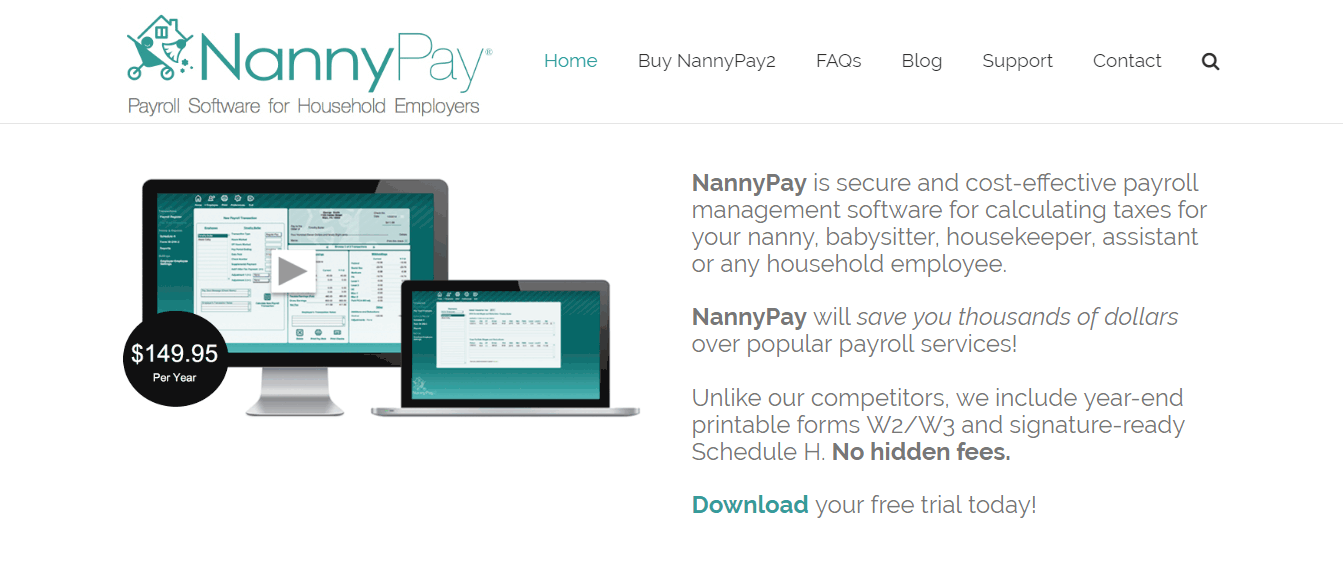
Description
NannyPay at a Glance
| Best for | Families hiring nannies, caregivers, or other household employees who want simple do-it-yourself payroll software for calculating taxes, printing pay stubs, and generating year-end forms without pricey full-service providers |
|---|---|
| Deployment | Downloadable Windows and Mac software with published Buy Now pricing; annual license per household |
| Starting price | Buy Now published pricing (one-time annual license) , significantly less than full-service household payroll competitors |
| Key strengths | Purpose-built for household employer payroll, do-it-yourself model at low cost, tax calculation depth (federal plus state), year-end form generation, five-year competitor cost comparisons documented |
| Not ideal for | Families wanting fully-managed nanny payroll with vendor handling all filings, or business payroll where dedicated business payroll platforms fit better |
NannyPay Overview
NannyPay is do-it-yourself household payroll software built specifically for families hiring nannies, caregivers, or other household employees.
The vendor positioning captures the specific pain point: hiring a nanny or caregiver should make life easier, not more complicated. Families hiring household employees suddenly face nanny tax rules, W-2 obligations, and quarterly employer tax filings that they were not prepared for.
The core value proposition is Simple, Affordable, and Stress-Free household payroll. Rather than paying pricey full-service payroll providers to handle household employee tax administration, families use NannyPay to do it themselves in minutes.
Core operational capabilities are captured in three actions: calculate taxes (federal, state, and applicable local employer plus employee tax withholdings), print pay stubs (documented pay records for the household employee), and generate year-end forms (W-2 for the employee, W-3 filing, and Schedule H for the family tax return).
The Five-Year Nanny Tax Payroll Competitor Cost Comparisons on the vendor site position NannyPay as significantly more affordable than GTM Payroll Services, HomeWork Solutions, and other full-service household payroll providers.
Capabilities and Named Features
The NannyPay thesis is that hiring a household employee (nanny, caregiver, housekeeper, elder care aide) creates specific payroll obligations that generic payroll platforms handle poorly and full-service household payroll providers charge disproportionately for, and do-it-yourself household payroll software fits the reality of most families.
Calculate taxes handles the specific complexity that trips up first-time household employers: federal income tax withholding, Social Security and Medicare (FICA) both employee and employer portions, federal unemployment (FUTA), state income tax and unemployment where applicable, and any local employer taxes.
Print pay stubs delivers proper documented pay records that protect both the family and the household employee. Undocumented cash payments create tax and legal risk that documented pay stubs avoid.
Generate year-end forms addresses the biggest household employer pain point: producing accurate W-2 for the household employee, W-3 filing, and Schedule H attached to the family income tax return.
The Five-Year Nanny Tax Payroll Competitor Cost Comparisons document NannyPay pricing versus GTM Payroll Services, HomeWork Solutions, and other full-service providers. Over five years, DIY software saves families thousands versus full-service subscription fees.
The DIY positioning matters. Families using NannyPay handle their own payroll cycle: calculate weekly or biweekly, pay the household employee, and file quarterly and year-end forms themselves. This suits families comfortable with basic tax paperwork rather than families wanting fully-managed services.
Stress-free positioning reflects the empathy for the household employer situation. Hiring help for family care creates enough emotional weight; the payroll obligations should not add ongoing stress.
Named feature list
- Household payroll software
- Nanny tax calculations
- Caregiver payroll
- Federal tax withholding
- State tax withholding
- Social Security (FICA) calculations
- Medicare (FICA) calculations
- Federal unemployment (FUTA)
- State unemployment where applicable
- Pay stub printing
- Documented pay records
- W-2 form generation
- W-3 filing
- Schedule H generation
- Windows software
- Mac software
- Annual license pricing
- Do-it-yourself model
- Five-year competitor cost comparisons
- Simple, affordable, stress-free positioning
Pricing and Plans
NannyPay operates on a Buy Now published pricing model with an annual license per household.
The vendor publishes Five-Year Nanny Tax Payroll Competitor Cost Comparisons demonstrating NannyPay affordability versus full-service household payroll providers (GTM Payroll Services, HomeWork Solutions, and others).
Free Resources on the vendor site help families evaluate their household employer situation before purchasing.
| Tier | Price | What is included |
|---|---|---|
| NannyPay Software | Buy Now | Annual license for household payroll software (Windows or Mac). Do-it-yourself payroll for nanny and caregiver employers |
| Windows Version | Buy Now | NannyPay software for Windows households |
| Mac Version | Buy Now | NannyPay software for Mac households |
| Free Resources | Free | Free educational resources for families evaluating household employer situations |
Pros
- Purpose-built for household employer payroll means the tax calculations, forms, and workflow fit the specific complexity of hiring a nanny or caregiver rather than requiring configuration of business payroll platforms.
- DIY model at low annual license cost delivers significant multi-year savings versus full-service household payroll providers that charge monthly subscription fees.
- Year-end form generation (W-2, W-3, Schedule H) removes the biggest household employer pain point: producing correct tax documentation for the family tax return.
Cons and Trade-offs
- Not designed for families wanting fully-managed nanny payroll where the vendor handles all filings, tax deposits, and correspondence with tax authorities.
- Business payroll needs should be handled by dedicated business payroll platforms (Gusto, ADP RUN, QuickBooks Payroll, or others).
- DIY model requires the family to handle quarterly filings and tax deposits themselves rather than the vendor managing those for the household employer.
NannyPay vs Alternatives
| Capability | NannyPay | HomeWork Solutions | GTM Payroll Services |
|---|---|---|---|
| Core focus | DIY household payroll software | Full-service household payroll | Full-service household payroll |
| Model | Software you run | Vendor handles filings | Vendor handles filings |
| Cost model | Annual license | Monthly subscription | Monthly subscription |
| Five-year cost | Lowest per vendor comparison | Higher over five years | Higher over five years |
| Best fit | Families comfortable with DIY payroll | Families wanting fully-managed service | Families wanting fully-managed service |
Who Should Choose NannyPay
Families hiring nannies, caregivers, housekeepers, elder care aides, or other household employees who want simple do-it-yourself payroll software for calculating taxes, printing pay stubs, and generating year-end forms.
Cost-sensitive household employers who want to avoid the multi-year cost of full-service household payroll providers benefit directly from the DIY model.
Not appropriate for families wanting fully-managed nanny payroll, or business payroll where dedicated business payroll platforms fit better.
Named Alternatives to NannyPay
- HomeWork Solutions. Full-service household payroll with the vendor handling filings. Chosen when the family wants fully-managed service rather than DIY software.
- GTM Payroll Services. Full-service household payroll platform. A better fit for families wanting managed service across household employer needs.
- Poppins Payroll. Modern household payroll with vendor-managed service. Preferred for families wanting modern SaaS household payroll.
- SurePayroll Nanny. Household payroll from SurePayroll (Paychex). Chosen for families wanting Paychex ecosystem household payroll.
- Gusto. Modern SMB payroll with household employer support. A better fit for families also running a small business who want unified payroll.
Implementation and Deployment
NannyPay deployments are designed to be fast for families. Purchase via Buy Now, download the software (Windows or Mac), install, and configure the household employee within the first pay period.
Standard setup runs a few hours for a family: household employer registration with federal EIN (or family SSN for eligible households), household employee W-4 setup, tax withholding configuration for federal plus state plus applicable local taxes, first payroll cycle, and pay stub printing.
Quarterly and year-end workflows include quarterly filing preparation (families file directly with tax authorities), year-end W-2 generation for the household employee, and Schedule H generation for the family tax return.
Multi-state household situations (family in one state hiring employee living in another) add configuration for reciprocity and state-specific rules.
What Real Buyers Say About NannyPay
Operator discussions on Reddit r/nanny household employer threads and Reddit r/personalfinance discussions surface the following themes.
First-time household employers on Reddit r/nanny, Reddit r/personalfinance, and family caregiving communities discuss NannyPay as the DIY option when they want to avoid the monthly cost of full-service household payroll providers.
The Five-Year Nanny Tax Payroll Competitor Cost Comparisons published on the vendor site is frequently cited as decisive; families see the multi-year savings versus GTM Payroll Services and HomeWork Solutions.
Operator discussions in household employer communities highlight the year-end W-2 and Schedule H generation as the specific pain point NannyPay addresses; producing correct tax documentation is where DIY approaches often fail.
Common critique from families preferring managed service: NannyPay is DIY software; families wanting the vendor to handle all filings and correspondence with tax authorities typically prefer HomeWork Solutions or GTM Payroll Services.
The simple, affordable, and stress-free positioning is repeatedly praised as matching how families actually experience the household employer situation: they need less stress, not more.
Quarterly filing responsibility is discussed as a trade-off: NannyPay handles tax calculations, but families still need to file quarterly returns with tax authorities themselves.
Vendor references: NannyPay household payroll software overview, NannyPay features, NannyPay free resources for household employers.
Related NannyPay Comparisons and Categories on SaaSRat
Explore related products and categories on SaaSRat to compare NannyPay against alternatives.
- Payroll Software on SaaSRat
- Household Employer on SaaSRat
- Tax Software on SaaSRat
- HomeWork Solutions: full-service
- GTM Payroll Services: full-service
- Poppins Payroll: modern household
- SurePayroll: Paychex household
- Gusto: modern SMB payroll
The Bottom Line on NannyPay
NannyPay is a strong fit for families hiring nannies, caregivers, housekeepers, or other household employees who want simple do-it-yourself payroll software.
DIY model at annual license cost delivers multi-year savings versus full-service household payroll providers charging monthly subscription fees.
Purpose-built household employer tax calculations plus year-end form generation address the specific complexity that trips up first-time household employers.
Families wanting fully-managed service should evaluate HomeWork Solutions, GTM Payroll Services, or Poppins Payroll.
Business payroll needs should be handled by dedicated business payroll platforms like Gusto, ADP RUN, or QuickBooks Payroll.
Verified on 2026-08-04 against vendor website.
Frequently Asked Questions
What is NannyPay?
Who is NannyPay best for?
How does NannyPay pricing work?
Is NannyPay Do-It-Yourself?
Does NannyPay generate W-2 forms?
What operating systems does NannyPay support?
Does NannyPay handle state taxes?
How does NannyPay compare to HomeWork Solutions?
Where is NannyPay based?
Are there free resources for household employers?
Find Your Perfect Software
See how it can transform your workflow
- Personalized for your needs Tailored recommendations based on your unique requirements.
- Save time & resources Streamline your workflow and boost team productivity.
- Trusted by thousands Join 10,000+ businesses already growing with SaaSrat.
You're all set! 🎉
A specialist for will reach out within 1 business day with tailored recommendations for your needs.