

Fieldwire
by Fieldwire
What is Fieldwire?
Get Best Quote for Fieldwire
Connect with SaaSrat experts to get the best quote for your business.
You're all set!
A specialist for Fieldwire will reach out within 1 business day.
Fieldwire Features
Plan viewing + task management (all tiers)
Specifications + Files/photos + Checklists (Basic)
Reports + exports + Sheet compare (Pro+)
Project templates + Custom task statuses (Pro+)
Custom forms + App integrations (Business+)
BIM viewer + Field Intelligence AI (Business+)
View All 13 Features
Fieldwire Pricing Plans
Basic (Free)
- For small teams wanting to try Fieldwire core features per fieldwire.com/pricing
- 5 users + 3 projects + 100 sheets
- Plan viewing + Task management + Specifications + Files and photos + Checklists
Pro
- For growing teams looking to scale with Fieldwire per fieldwire.com/pricing
- All Basic features plus
- Reports and exports + Sheet compare + Project templates + Custom task statuses
- Unlimited projects + unlimited sheets + Pay per user
Business
- For advanced teams unifying processes on Fieldwire per fieldwire.com/pricing
- All Pro features plus
- Custom forms + App integrations + BIM viewer + Field Intelligence AI
Business Plus
- For teams connecting Fieldwire to core technology per fieldwire.com/pricing
- All Business features plus
- RFIs + Submittals + Change Orders + Budget + Custom contracts
Fieldwire Resources
Fieldwire Screenshots

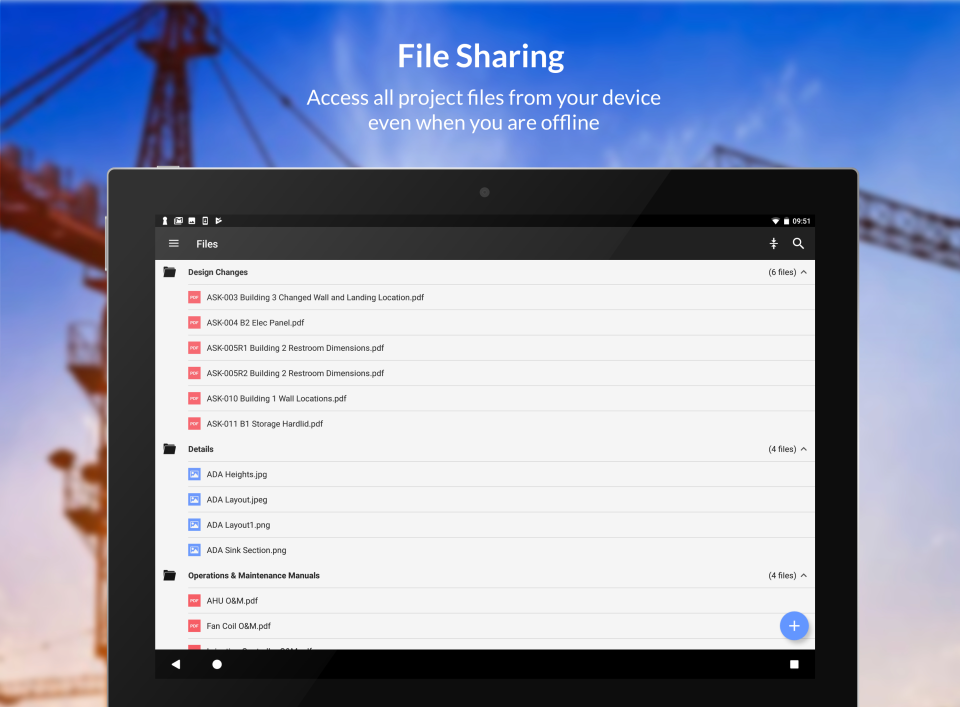
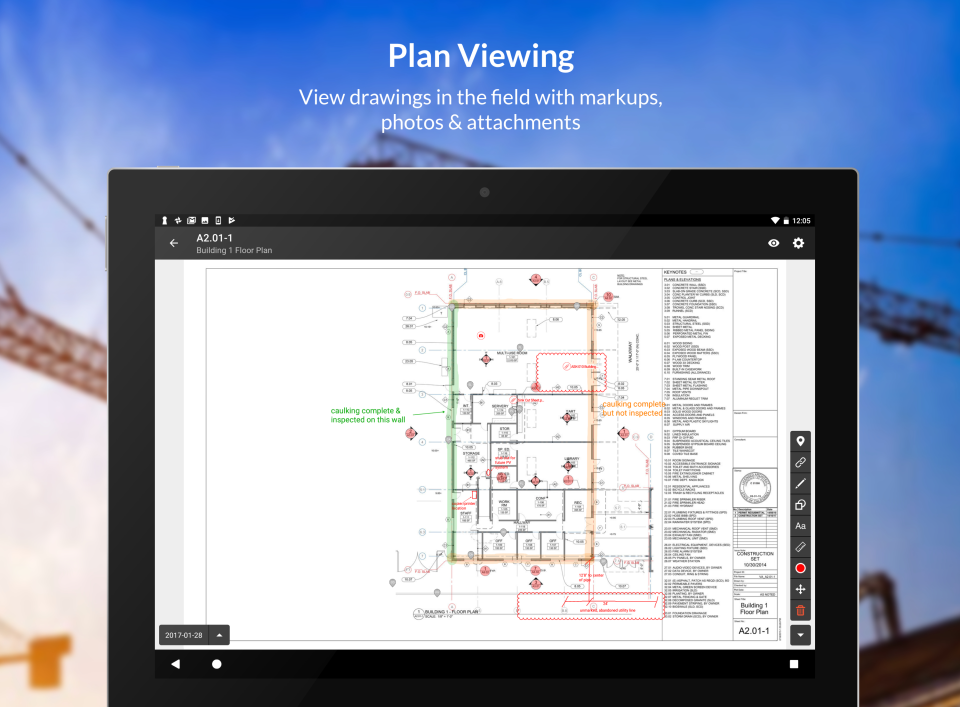
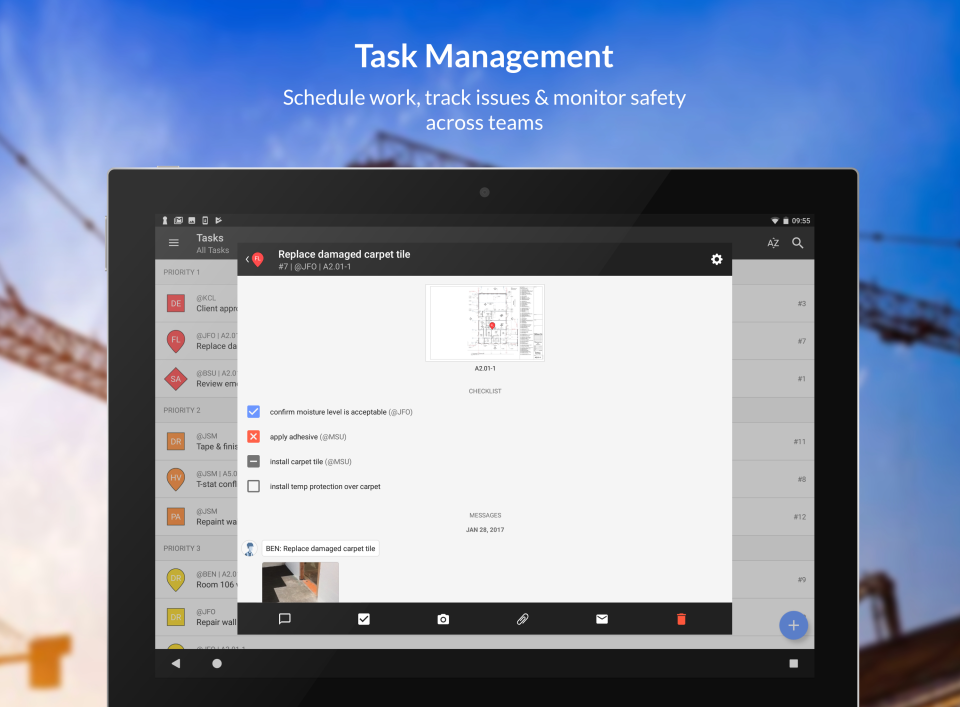
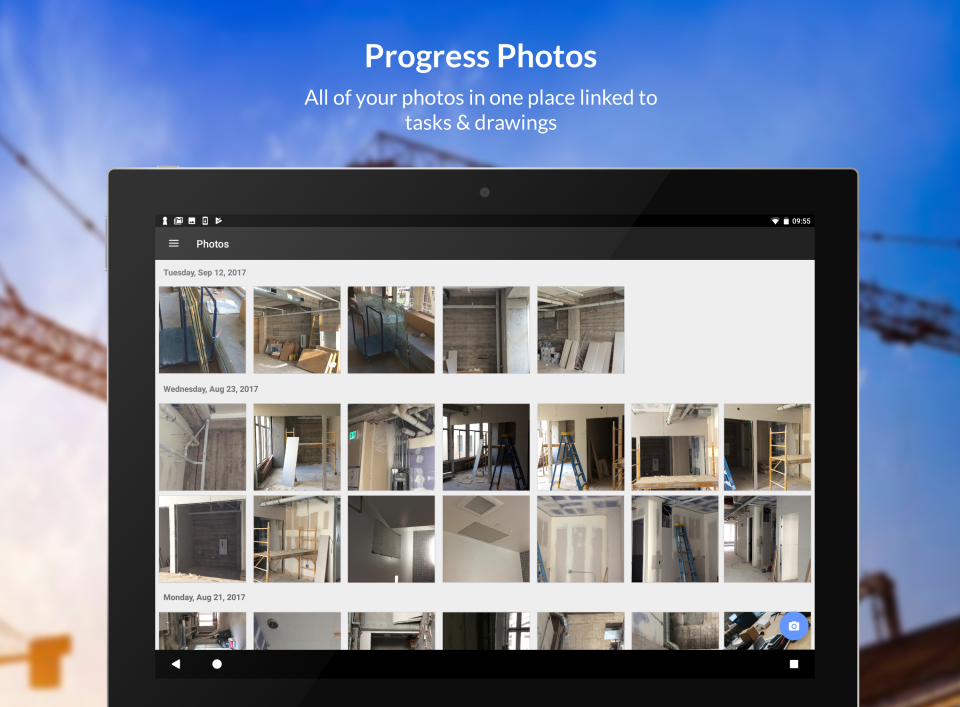
Description
What Is Fieldwire and How Does It Work?
Fieldwire is a construction field management + jobsite platform used by construction teams for plan viewing, task management, specifications, RFIs, submittals, and field workflows with transparent tiered pricing: Basic Free (5 users, 3 projects), Pro Business Business Plus per user monthly billed annually plus 15+ currency options.
The typical Fieldwire deployment covers construction teams needing field management + jobsite workflows.
Fieldwire competes against Procore and other alternatives in this construction category.
Fieldwire at a Glance
| Best for | construction teams needing field management + jobsite workflows |
|---|---|
| Deployment | Cloud |
| Pricing model | Fieldwire publishes transparent tier pricing on fieldwire |
| Free trial | Demo-driven |
| Signature capability | a construction field management + jobsite platform used by construction teams for plan viewing, task |
| Compliance | Standard |
| HQ | Fieldwire (San Francisco) |
| Support | Standard |
Fieldwire Pros and Cons in 2026
Where Fieldwire Stands Out
- Transparent multi-tier pricing Basic Free through Business Plus $89/user/mo billed annually.
- 15+ currency options (USD, CAD, AUD, EUR, GBP, CZK, CHF, SEK, PLN, NZD, DKK, HUF, SAR, ZAR, AED).
- Basic Free for 5 users + 3 projects + 100 sheets.
- Pro adds reports + exports + sheet compare + project templates + custom task statuses.
- Business adds custom forms + app integrations + BIM viewer + Field Intelligence AI.
- Business Plus adds RFIs + submittals + change orders + budget + custom contracts.
- Unlimited user + SSO + API options via Contact Sales.
Where Fieldwire Falls Short
- User count grows costs quickly at scale.
- Basic tier limited to 5 users + 100 sheets.
- Enterprise features on Business+ tiers.
- Modern SaaS UX polish varies for some workflows.
Who Should Use Fieldwire?
Construction teams choose Fieldwire tier by size + workflow needs: small teams use Basic Free (5 users, 3 projects); growing teams choose Pro $39/user/mo billed annually; teams needing custom forms + BIM viewer + AI use Business $64; teams connecting to core tech + RFIs + submittals + change orders use Business Plus $89.
Alternative-fit teams may consider Procore or similar.
Fieldwire Product Suite in 2026
Basic (Free)
5 users + 3 projects + 100 sheets.
Pro
$39/user/mo billed annually.
Business
$64/user/mo billed annually with BIM viewer + AI.
Business Plus
$89/user/mo billed annually with RFIs + submittals.
Plan viewing + task management
All tiers.
Field Intelligence AI
Business+ tiers.
Fieldwire Deep Dive: Fieldwire Deep Dive
Transparent tier pricing
Basic $0 (5 users, 3 projects, 100 sheets, plan viewing + tasks + specs + files/photos + checklists). Pro $39/user/mo billed annually (unlimited projects + reports + exports + sheet compare + templates + custom task statuses). Business $64/user/mo billed annually (all Pro plus custom forms + app integrations + BIM viewer + Field Intelligence AI). Business Plus $89/user/mo billed annually (all Business plus RFIs + submittals + change orders + budget + custom contracts).
Multi-currency
15+ currency options for global buyers.
Field Intelligence AI
Business + Business Plus include Field Intelligence AI - AI-powered construction insights.
Unlimited user + SSO + API
Contact us to learn about unlimited user options, customized training, dedicated success teams, API access, and single sign-on (SSO).
How Much Does Fieldwire Cost in 2026?
Fieldwire publishes transparent tier pricing on fieldwire.com/pricing. Multi-currency (USD, CAD, AUD, EUR, GBP, CZK, CHF, SEK, PLN, NZD, DKK, HUF, SAR, ZAR, AED). Basic $0 for 5 users + 3 projects + 100 sheets (Plan Viewing, Task Management, Specifications, Files and Photos, Checklists). Pro $39/user/month billed annually - all Basic plus Reports and Exports, Sheet Compare, Project Templates, Custom Task Statuses, Unlimited Projects + Sheets. Business $64/user/month billed annually - all Pro plus Custom Forms, App Integrations, BIM Viewer, Field Intelligence AI. Business Plus $89/user/month billed annually - all Business plus RFIs, Submittals, Change Orders, Budget, Custom Contracts. Contact us for unlimited user options + customized training + dedicated success teams + API access + SSO.
Hidden Costs and Contract Notes to Watch
- Higher tiers add advanced capabilities.
- Enterprise deployment may need Contact Sales.
- Custom scope handled via services.
Fieldwire Alternatives Worth Comparing
Procore. Enterprise construction management.
PlanGrid (Autodesk). Construction drawings + field.
Dalux Field. BIM field platform.
Who Uses Fieldwire?
Fieldwire supports customers across the construction segment. Customer references live on www.fieldwire.com.
How Fieldwire Compares to Procore
| Dimension | Fieldwire | Procore |
|---|---|---|
| Pricing model | $0-$89/user tiers billed annually | Enterprise custom |
| Free tier | Yes (5 users, 3 projects) | No |
| Multi-currency | 15+ currencies | USD primary |
Buyers evaluating Fieldwire versus Procore typically weigh these dimensions during procurement. Neither is universally better; the fit depends on document volume, industry regulatory requirements, existing enterprise stack, and whether the primary constraint is capture speed, retrieval accuracy, records-retention compliance, or workflow automation.
Points to Verify Before Buying Fieldwire
Independent software review threads consistently flag a similar set of due-diligence questions buyers wish they had asked earlier. Cover these during your evaluation.
- Confirm tier fit (Basic/Pro/Business/Business Plus).
- Ask about unlimited user + SSO + API options.
- Verify currency + country for your operations.
- Test Field Intelligence AI during Business+ trial.
- Ask about migration path from other field platforms.
What Real Buyers Report About Fieldwire
Construction teams on r/Construction evaluate Fieldwire on the trade-offs described above.
Bottom Line: Is Fieldwire Right for You?
Fieldwire is a legitimate pick for construction teams needing construction teams needing field management + jobsite workflows.
Core value: a construction field management + jobsite platform used by construction teams for plan viewing, task management, specifi.
Trade-off: User count grows costs quickly at scale..
Alternatives worth pricing: Procore and similar construction platforms.
Verified on 2026-07-06 by the SaaSRat Editorial Team (Chirantan). Vendor facts cross-checked against the fieldwire vendor website, LinkedIn showcase pages, and community discussions on Reddit and industry LinkedIn groups. About our methodology.
Frequently Asked Questions
How much does Fieldwire cost?
Where is Fieldwire headquartered?
Is a free tier available?
Does Fieldwire support multi-currency?
What is Field Intelligence AI?
How does Fieldwire compare to Procore?
Does Fieldwire include RFIs?
Does Fieldwire include BIM viewer?
Is there an unlimited user option?
Where is data hosted?
Find Your Perfect Software
See how it can transform your workflow
- Personalized for your needs Tailored recommendations based on your unique requirements.
- Save time & resources Streamline your workflow and boost team productivity.
- Trusted by thousands Join 10,000+ businesses already growing with SaaSrat.
You're all set! 🎉
A specialist for will reach out within 1 business day with tailored recommendations for your needs.