

ezClocker
by ezClocker
What is ezClocker?
Get Best Quote for ezClocker
Connect with SaaSrat experts to get the best quote for your business.
You're all set!
A specialist for ezClocker will reach out within 1 business day.
ezClocker Features
Clock In/Out Anywhere (Apple + Android mobile)
GPS Verification (auto-saves location at clock in/out)
Online Scheduling with phone notifications
Payroll Integration (Standard/Premium)
Job Assignments (Standard/Premium)
Overtime Reports (Standard/Premium)
View All 10 Features
ezClocker Pricing Plans
Basic (up to 15 employees)
- Up to 15 employees ($150/year annual, $15/month monthly)
- Web and mobile access
- Employee scheduling
- GPS verification
- Export Pay Periods to CSV file
- 30-day free trial
Standard (up to 30 employees)
- Up to 30 employees ($300/year annual, $30/month monthly)
- Web and mobile access
- Employee scheduling
- GPS verification
- Export Pay Periods to CSV
- Job Assignments
- Overtime Reports
- Payroll Integrations
- Time Off tracking
- Kiosk App
- Geofence
Premium (up to 60 employees)
- Up to 60 employees ($600/year annual, $60/month monthly)
- All Standard features
- Higher employee capacity
- Full feature set for growing SMB
Enterprise (60+ employees)
- Contact ezClocker for custom pricing for teams over 60 employees
ezClocker Resources
ezClocker Screenshots
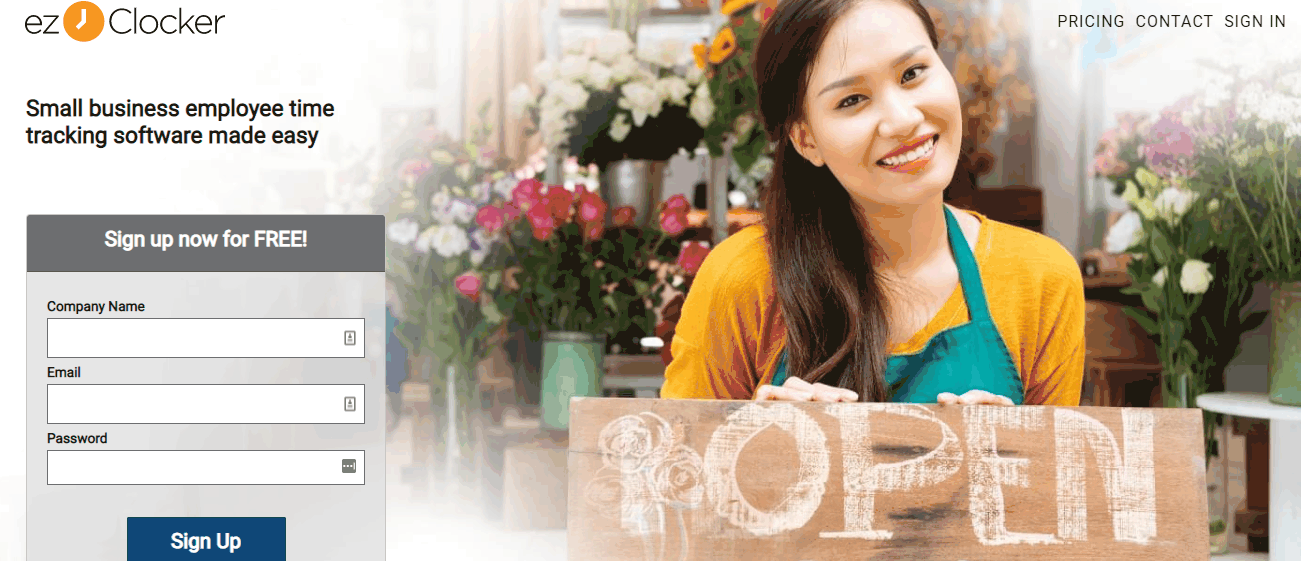
Description
What Is ezClocker and How Does It Work?
ezClocker is small business employee time tracking software with GPS verification online scheduling and payroll integration. Three tiers: Basic (up to 15 employees) Standard (up to 30 employees) and Premium (up to 60 employees) with published annual and monthly pricing. Rated 4.8 on peer-review sites 4.6 Google Play 4.8 Apple App Store. 30-day free trial. Serves janitorial contractors landscape lawn care home care and construction verticals.
The vendor emphasizes accessibility for non-tech-savvy employees. Clock In/Out Anywhere via mobile device (Apple and Android) with a touch of a button. No expensive equipment required. GPS Verification automatically saves employee locations at clock-in/out so employers can verify workers are at the correct location without driving to each jobsite or hiring supervisors.
Online Scheduling replaces email/text schedule distribution. Employees get phone notifications for new schedules. Reduces missed shifts. Additional employee time tracking options: Web (office staff clock in via website enter notes view schedules) plus Mobile (field workers clock in with GPS). Positioning: Small business employee time tracking software made easy.
ezClocker at a Glance
| Best fit for | SMB with field employees (janitorial, contractors, landscape, home care, construction) wanting GPS-verified time tracking |
|---|---|
| Basic (up to 15 employees) | $15/mo monthly, $12.50/mo annual ($150/year) |
| Standard (up to 30 employees) | $30/mo monthly, $25/mo annual ($300/year) |
| Premium (up to 60 employees) | $60/mo monthly, $50/mo annual ($600/year) |
| Reviews | 4.8 peer-review sites, 4.6 Google Play, 4.8 Apple App Store |
| Free trial | 30 days |
| Verticals | Janitorial, contractors, landscape lawn care, home care, construction |
| Beyond 60 employees | Contact vendor for custom pricing |
| Headquarters | United States |
ezClocker Key Features and Capabilities
Clock In/Out Anywhere: employees clock in via their own mobile device (Apple and Android) with a touch of a button. No expensive equipment required. Simple design suits non-tech-savvy employees. This removes the capex overhead of purchasing time clock hardware that many SMB competitors require.
GPS Verification automatically saves employee GPS location at clock-in and clock-out so employers verify workers are at the correct jobsite. Removes the need to drive to each location or hire supervisors to verify attendance. Particularly valuable for field service verticals (janitorial contractors landscape home care construction) where workers are distributed across many customer locations.
Online Scheduling replaces email or text schedule distribution. Employees get phone notifications for new schedules. Managers can adjust schedules from website or mobile app. Reduces missed shifts caused by employees not seeing updated schedules.
Payroll Integration is available on Standard and Premium tiers. Exports pay periods to CSV for payroll processing. Time Off tracking Job Assignments Overtime Reports and Geofence features are available on Standard/Premium tiers. Basic tier is limited to core clock in/out + GPS + scheduling.
Additional Kiosk App feature (Standard/Premium) is meaningful for shared-device scenarios (contractor job sites where multiple employees use one tablet to clock in). Web option is for office staff who clock in via website.
- Clock In/Out Anywhere (Apple + Android mobile)
- GPS Verification (auto-saves location at clock in/out)
- Online Scheduling with phone notifications
- Payroll Integration (Standard/Premium)
- Job Assignments (Standard/Premium)
- Overtime Reports (Standard/Premium)
- Time Off tracking (Standard/Premium)
- Geofence (Standard/Premium)
- Kiosk App for shared-device scenarios (Standard/Premium)
- Web + Mobile access
How Much Does ezClocker Cost in 2026?
ezClocker publishes tiered pricing on ezclocker.com/pricing with monthly and annual billing. Basic (up to 15 employees) is $15/month monthly or $12.50/month annual ($150/year). Standard (up to 30 employees) is $30/month monthly or $25/month annual ($300/year). Premium (up to 60 employees) is $60/month monthly or $50/month annual ($600/year).
Basic tier includes web and mobile access employee scheduling GPS verification and export pay periods to CSV. Standard and Premium tiers add Job Assignments Overtime Reports Payroll Integrations Time Off tracking Geofence and Kiosk App. Beyond 60 employees Contact vendor for custom pricing.
Buyers should benchmark ezClocker against Deputy (workforce management with scheduling + time tracking) Homebase (SMB scheduling with time clock) Buddy Punch (GPS time tracking) When I Work (scheduling + time tracking) and QuickBooks Time (payroll-integrated time tracking). ezClocker differentiator is per-employee-band pricing (Basic/Standard/Premium) versus per-user-per-month competitors.
| Plan | Price | Includes |
|---|---|---|
| Basic (up to 15 employees) | $12.50/mo annual | Web + mobile + scheduling + GPS + CSV export + 30-day trial ($15/mo monthly) |
| Standard (up to 30 employees) | $25/mo annual | All Basic + Job Assignments + Overtime + Payroll Integrations + Time Off + Kiosk + Geofence ($30/mo monthly) |
| Premium (up to 60 employees) | $50/mo annual | All Standard scaled for 60 employees ($60/mo monthly) |
| Enterprise (60+ employees) | Contact Sales | Custom pricing for teams over 60 employees |
ezClocker Pros and Cons in 2026
Where ezClocker Stands Out
- Real published per-employee-band pricing. $12.50-$50/mo annual across 3 tiers. Simple upfront transparency versus per-user-per-month competitors that require math for team-size decisions.
- 4.8 peer-review sites + 4.6 Google Play + 4.8 App Store ratings. Strong third-party review validation across peer-review-sites app stores and peer-review sites. Meaningful signal for SMB buyer decision.
- GPS verification without expensive equipment. Employees use their own mobile devices (Apple + Android). Removes capex overhead of dedicated time clock hardware.
- Vertical alignment with SMB field service. Janitorial contractors landscape lawn care home care construction named verticals. GPS verification particularly valuable for distributed workforces.
Where ezClocker Falls Short
- Payroll Integration gated to Standard/Premium. Basic tier ($12.50/mo) does not include Payroll Integrations. Small businesses wanting payroll flow must upgrade to Standard ($25/mo).
- Hard employee caps per tier. Basic 15 / Standard 30 / Premium 60. Business exceeding a cap must upgrade the whole tier, not add per-user seats.
- Beyond 60 employees requires Contact Sales. Growing SMBs past 60 lose published pricing transparency.
ezClocker vs Top Competitors: Side-by-Side Comparison
Buyers evaluating ezClocker typically shortlist 2 to 3 alternatives before signing.
| Feature | ezClocker | Deputy | Buddy Punch |
|---|---|---|---|
| Pricing model | Per-employee-band ($12.50-$50 annual) | Per user per month ($4.50-$7.50) | Per user per month ($2.99-$7.99) |
| GPS verification | Yes | Yes | Yes |
| Employee scheduling | Yes | Yes (core) | Limited |
| Payroll integrations | Standard+ | Yes | Yes |
| Free trial | 30 days | 31 days | 14 days |
| Best fit | SMB field service wanting simple band pricing | Enterprise workforce management | SMB GPS time clock |
Who Should Use ezClocker?
ezClocker is the right pick for SMB with field employees (janitorial, contractors, landscape, home care, construction) wanting GPS-verified time tracking with simple per-employee-band pricing. Small businesses that dislike per-user-per-month math complexity get direct value from the Basic/Standard/Premium tier structure.
Growing SMBs (up to 60 employees) benefit from the published pricing bands letting HR/owner plan costs at each growth milestone. GPS Verification is particularly valuable for organizations with distributed workforces across many customer locations where supervising in person is impractical.
ezClocker is not the right fit for SMBs wanting Payroll Integration on entry pricing (must upgrade to Standard at $25/mo). Enterprise workforce management with advanced scheduling should compare Deputy. Very small SMBs wanting cheapest per-user pricing should compare Buddy Punch ($2.99/user/mo). Teams over 60 employees lose published pricing and must Contact Sales.
ezClocker Alternatives Worth Comparing
Deputy. Enterprise workforce management with scheduling + time tracking. Compare for larger workforce with advanced scheduling needs.
Homebase. SMB scheduling with time clock. Compare for SMBs wanting scheduling-first workflow.
Buddy Punch. GPS time tracking with per-user pricing from $2.99/user/mo. Compare for SMBs wanting cheapest per-user pricing.
When I Work. Scheduling + time tracking for SMBs. Compare for scheduling-first workflow with time clock.
QuickBooks Time. Payroll-integrated time tracking (formerly TSheets). Compare when QuickBooks payroll is primary payroll platform.
ezClocker Implementation and Onboarding
ezClocker implementation begins with 30-day free trial sign-up. Setup involves account creation employee invitation via email (employees download mobile app on their own iOS or Android device) job/location setup for GPS verification and scheduling configuration. No hardware provisioning required.
Standard SMB deployment reaches production within the first hour. Larger SMBs (30+ employees) may take 1 to 2 weeks including manager approval workflow tuning payroll export integration setup Geofence configuration and Kiosk App deployment for shared-device jobsites. 30-day free trial covers a full pay cycle for evaluation.
What Real Buyers Report About ezClocker
ezClocker vendor site emphasizes 4.8/5 peer-review sites 4.6/5 Google Play and 4.8/5 Apple App Store ratings. These are strong third-party review validations for the SMB time tracking category. Named verticals (janitorial contractors landscape lawn care home care construction) suggest strong SMB field service reference base.
For independent buyer perspective search Reddit r/smallbusiness r/HVAC r/Cleaning r/Landscaping and r/AskContractors for GPS time tracking discussions. peer-review sites alternatives (peer-review sites) show ezClocker with growing SMB adoption. Home service and cleaning business Facebook groups occasionally discuss ezClocker alongside Deputy Homebase Buddy Punch and When I Work.
- ezClocker home + small business time tracking positioning
- ezClocker pricing (Basic $12.50/$15, Standard $25/$30, Premium $50/$60 annual/monthly)
Frequently Asked Questions About ezClocker
What is ezClocker?
ezClocker is small business employee time tracking software with GPS verification online scheduling and payroll integration. Three tiers: Basic (up to 15 employees) Standard (up to 30) and Premium (up to 60). 30-day free trial.
How much does ezClocker cost?
Basic $15/mo monthly or $12.50/mo annual ($150/year). Standard $30/mo monthly or $25/mo annual ($300/year). Premium $60/mo monthly or $50/mo annual ($600/year). Beyond 60 employees Contact Sales.
What is in ezClocker Basic tier?
Web and mobile access employee scheduling GPS verification export pay periods to CSV. Up to 15 employees.
What does Standard/Premium add over Basic?
Job Assignments Overtime Reports Payroll Integrations Time Off tracking Kiosk App and Geofence.
How does the GPS feature work?
GPS stamp automatically saves employee location whenever they clock in or out. Employer verifies workers are at correct jobsite without driving to each location or hiring supervisors.
Do I need hardware for ezClocker?
No. Employees clock in via their own Apple or Android mobile device. No expensive equipment required.
What are ezClocker reviews?
4.8/5 on peer-review sites 4.6/5 on Google Play 4.8/5 on Apple App Store.
How long is the free trial?
30 days.
Which verticals does ezClocker serve?
Janitorial contractors landscape lawn care home care and construction (named on vendor site).
How do I contact ezClocker?
Try free via ezclocker.com or email [email protected].
What Top-Ranking ezClocker Reviews Cover
Related ezClocker Comparisons and Categories on SaaSRat
- The Service Manager
- Goodtime
- Time Check
- E Services By Elluminati
- Open Time Clock
- Servicetitan
- Rescue Time
- Advanced Business
- Jim2 Business Engine
Bottom Line: Is ezClocker Right for You?
ezClocker is the right call for SMB with field employees (janitorial contractors landscape home care construction) wanting GPS-verified time tracking with simple per-employee-band pricing. Real published pricing ($12.50-$50/mo annual) plus strong review ratings (4.8 peer-review sites 4.6 Google Play 4.8 App Store) validate the SMB fit.
For enterprise workforce management with advanced scheduling compare Deputy. For SMB scheduling-first workflow compare Homebase or When I Work. For SMBs wanting cheapest per-user pricing compare Buddy Punch ($2.99/user/mo). For QuickBooks payroll ecosystem compare QuickBooks Time.
Start the 30-day free trial via ezclocker.com. Basic ($12.50/mo annual) is entry point for up to 15 employees. Standard ($25/mo annual) adds Payroll Integrations Job Assignments Overtime Reports and Time Off tracking. Premium ($50/mo annual) scales up to 60 employees.
Verified on 2026-07-24 by the SaaSRat Editorial Team (Chirantan Patel, Senior SaaS Research Editor). Content and pricing scraped from the ezClocker vendor website. About our methodology.
Frequently Asked Questions
Is there a free plan or free trial for ezClocker?
How much does ezClocker cost?
What does ezClocker integrate with?
Who is ezClocker best for?
What are the best alternatives to ezClocker?
Is ezClocker GDPR / SOC 2 compliant?
Does ezClocker have a mobile app?
What do real users say about ezClocker?
How does ezClocker compare to its top competitor?
Does ezClocker offer customer support?
Find Your Perfect Software
See how it can transform your workflow
- Personalized for your needs Tailored recommendations based on your unique requirements.
- Save time & resources Streamline your workflow and boost team productivity.
- Trusted by thousands Join 10,000+ businesses already growing with SaaSrat.
You're all set! 🎉
A specialist for will reach out within 1 business day with tailored recommendations for your needs.